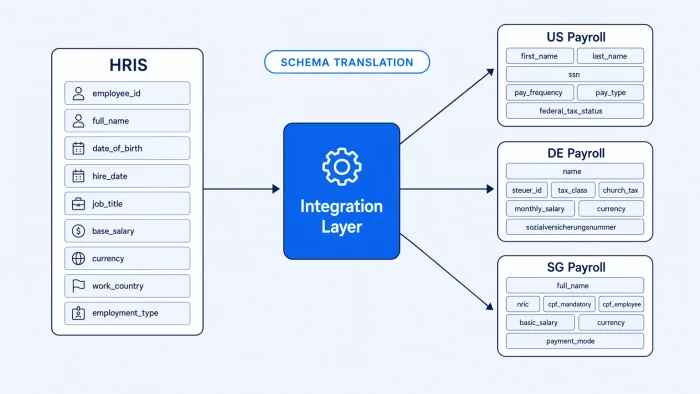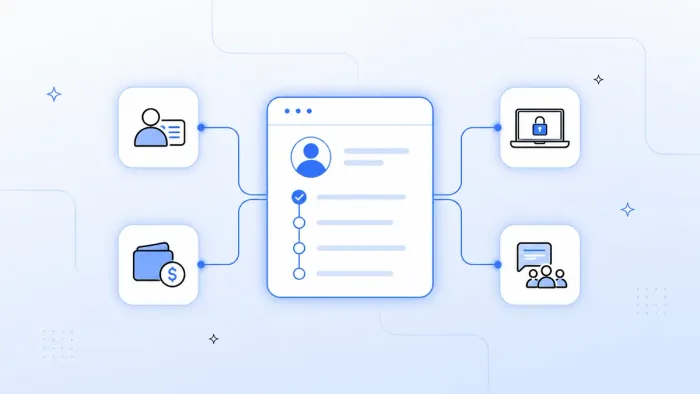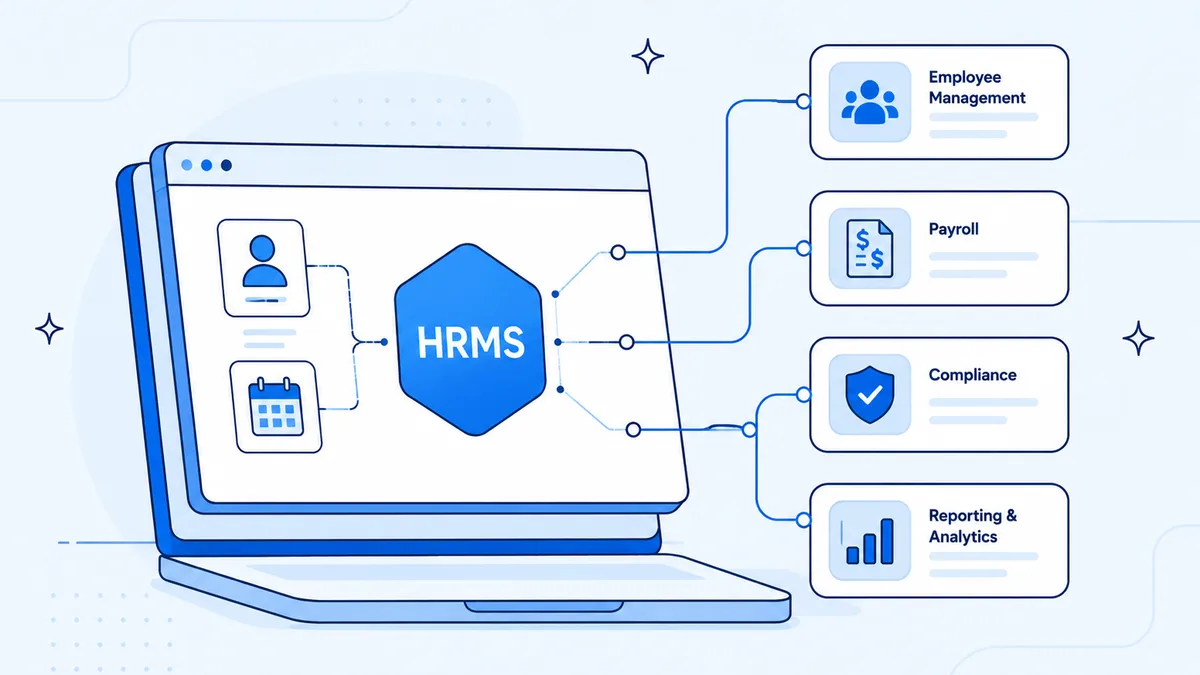
HRMS integration connects your Human Resource Management System — Workday, BambooHR, SAP SuccessFactors, or any other — to the downstream systems that need employee data: payroll, identity, IT provisioning, communication tools, and your ERP.
Without it, HR teams spend 30–40% of their week manually exporting data from the HRMS and importing it somewhere else. With it, a new hire triggers identity provisioning, payroll enrollment, IT requests, and Slack onboarding in minutes — automatically.
Why HRMS Integration Matters
Your HRMS is the system of record for every employee. Every downstream system needs that data: Okta needs to know who to provision, ADP needs to run payroll, ServiceNow needs to create IT tickets, and your ERP needs headcount and cost center data.
When those systems aren't connected, the same employee record gets typed into 3–5 different tools. According to SHRM, 54% of new hires don't have access to all required systems on day one because IT and HR hand-offs are manual and slow.
The other cost is data drift. An employee changes roles in Workday. That update doesn't reach Okta for two weeks. They still have access to the previous team's Salesforce instance. This is how data security incidents start.
The 6 Most Valuable HRMS Integration Use Cases
1. New Hire Provisioning
When a new employee record is created in the HRMS (status = "Active"), automatically:
- Create their identity account in Okta or Azure AD
- Assign role-based app access
- Create an IT onboarding task in ServiceNow
- Enroll in ADP payroll
- Send a Slack welcome to the team channel
Total time with automation: under 5 minutes. Manual: 1–3 days.
2. Employee Offboarding
When an employee status changes to "Terminated":
- Immediately suspend Okta account (critical for security)
- Transfer Salesforce ownership of accounts/deals
- Trigger ServiceNow equipment return ticket
- Remove from Slack workspace
- Notify payroll of final pay date
Delayed offboarding is a compliance and security risk. Automation triggers within seconds of the HRMS status change.
3. Role Change and Access Update
When an employee is promoted or transfers departments:
- Update Okta group memberships (new role's app access)
- Remove old role's access
- Update the employee record in your ERP (cost center, reporting line)
- Notify the new manager via Slack
4. Payroll Sync
Sync employee master data — salary changes, benefit elections, deductions, new hires, terminations — from the HRMS to your payroll system (ADP, Ceridian, Gusto) on a scheduled basis. Eliminate payroll corrections caused by manual re-entry.
5. HRMS to ERP Headcount Reporting
Push headcount, FTE count, department cost allocation, and new hire/attrition data from the HRMS to your ERP (NetSuite, SAP) for financial planning and labor cost reporting. Finance gets accurate actuals without waiting for an HR data export.
6. Compliance and Audit Reporting
On a scheduled basis, reconcile your HRMS employee list against your identity system and generate a report of any mismatches — active employees with no Okta account, or Okta accounts with no HRMS record. This is a SOC 2 and ISO 27001 control.
How Koodisi Connects Your HRMS
Koodisi connects to any HRMS that exposes a REST API or supports webhooks — which includes Workday, BambooHR, SAP SuccessFactors, Personio, Namely, and most modern HRIS platforms.
| System | Koodisi Connection Method |
|---|---|
| Workday | REST Client via Workday REST API |
| BambooHR | REST Client via BambooHR API |
| SAP SuccessFactors | REST Client via SuccessFactors OData API |
| Okta / Azure AD | REST Client via respective REST APIs |
| ADP | REST Client via ADP Marketplace API |
| ServiceNow | REST Client via ServiceNow Table API |
| Slack | REST Client via Slack Web API |
No dedicated HRMS connector licenses required. Koodisi's REST Client handles authentication (OAuth 2.0, API key, or Basic Auth) and field mapping in the visual builder.
Building a New Hire Workflow in Koodisi
Here's what the new hire provisioning workflow looks like step by step:
Trigger: Webhook → HRMS new employee (status = "Active")
Step 1: REST Client → GET employee profile (role, department, manager, start date)
Step 2: Mapper → map employee fields to Okta user schema
Step 3: REST Client → POST /users (Okta — create account)
Step 4: REST Client → POST /groups/{roleGroup}/users (Okta — assign app access)
Step 5: REST Client → POST /incidents (ServiceNow — IT provisioning task)
Step 6: REST Client → POST /employees (ADP — payroll enrollment)
Step 7: SendMessage → Slack team channel welcome message
Step 8: Log → audit trail entry
Every step is configured visually — no code written, no custom middleware deployed.
What Teams Measure After HRMS Integration
- Onboarding time: from 3–5 days to under 1 hour
- Offboarding security gap: from days/weeks to seconds
- Payroll error rate: from ~4% to under 0.5%
- HR admin hours saved: 8–15 hours per week for teams processing 20+ events/month
Frequently Asked Questions
What is HRMS integration?
HRMS integration is the process of connecting your Human Resource Management System to other enterprise tools — payroll, identity providers, communication platforms, and ERP — so employee data syncs automatically rather than being manually re-entered.
What's the difference between HRMS and HRIS?
HRMS (Human Resource Management System) typically includes payroll and benefits administration on top of core HR data. HRIS (Human Resource Information System) is narrower — primarily employee records and basic HR functions. In practice, many vendors use the terms interchangeably. The integration approach is the same.
Does Koodisi have a native Workday connector?
Koodisi connects to Workday via its no-code REST Client, which calls the Workday REST API directly. You configure the endpoint, authentication, and field mappings in the visual workflow builder — no code required and no separate connector license.
Can the HRMS integration trigger instantly or only on a schedule?
Both. For time-sensitive events like new hire provisioning and offboarding, use webhook-triggered workflows that fire the moment the HRMS status changes. For batch operations like payroll sync and reporting, use scheduled workflows that run at a defined interval (hourly, daily, weekly).
What if our HRMS doesn't support webhooks?
If your HRMS doesn't send webhooks, Koodisi can poll the HRMS API on a defined schedule — every 5 minutes, hourly, or daily — checking for new or changed records and triggering the downstream workflow when changes are detected.
Is HRMS integration secure?
Koodisi supports OAuth 2.0, API key, and SAML authentication for all connected systems. All data in transit is encrypted (TLS 1.2+). For compliance-sensitive workflows, audit logging captures every step, every system call, and every data transformation for SOC 2 and ISO 27001 review.
Ready to connect your HRMS to the rest of your stack? Book a demo and we'll map your HR system landscape in the first call.