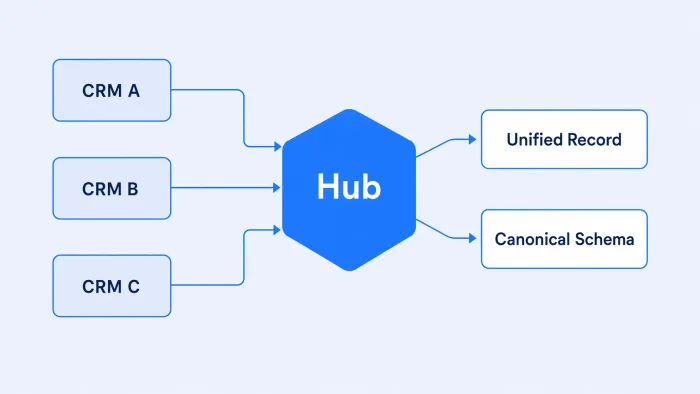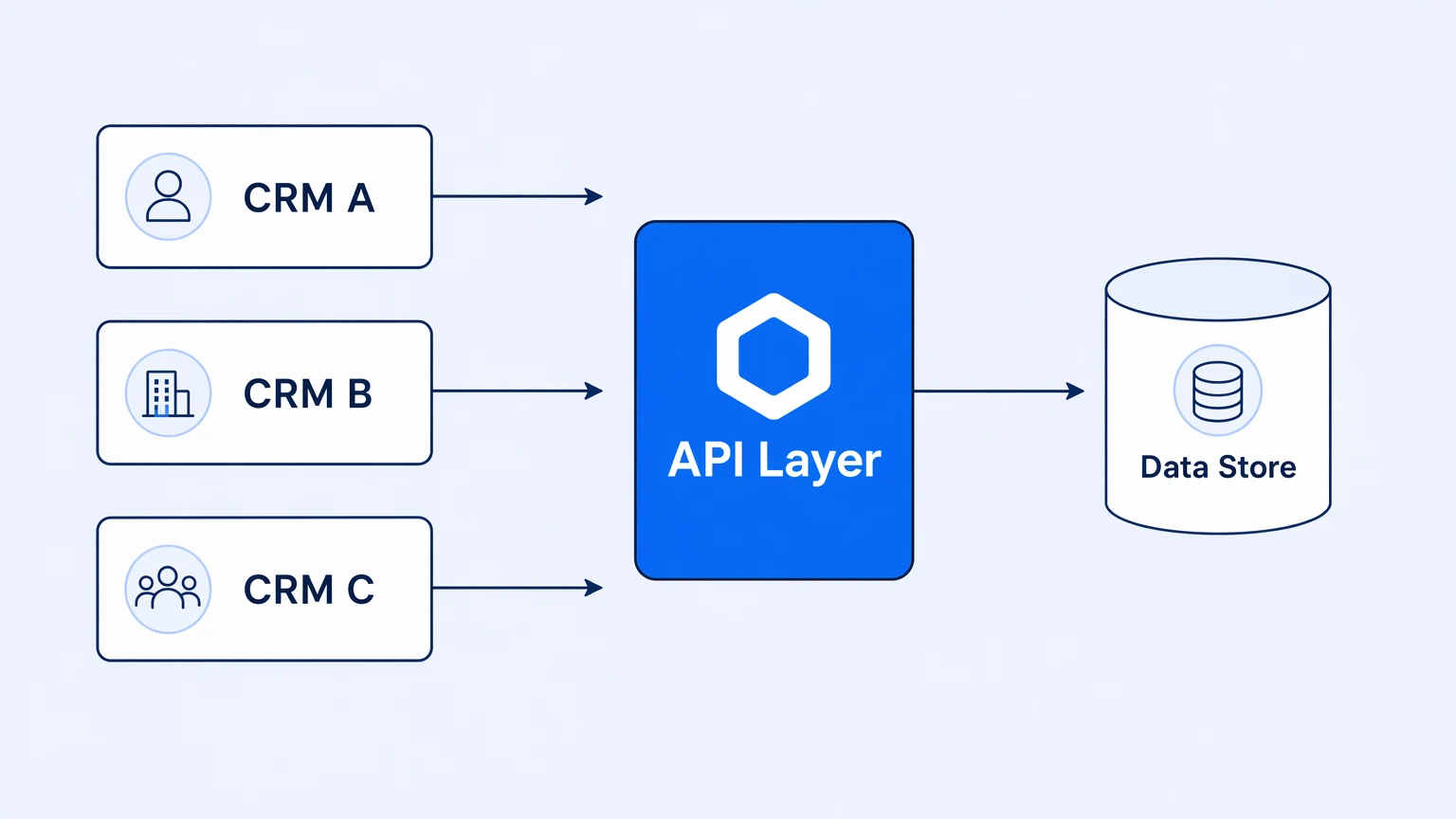
You run three CRMs. Not because you designed a three-CRM architecture — nobody does — but because the sales team uses Salesforce, the customer success team bought HubSpot eighteen months ago, and the partner org inherited something else in the last acquisition. Each one has its own webhook format, its own auth model, its own idea of what a "contact" is. Somewhere in your stack there's a Lambda function, a cron job, and a data warehouse sync that are supposed to hold the whole thing together.
They're doing their best.
The question isn't how long this survives production load. It's why the standard answer — build point-to-point syncs — creates more surface area than it removes, and what a single API layer actually gives you that the Lambda approach doesn't. (For the broader operational picture of merging multiple CRMs into one application, the API layer below is one piece of that architecture.)
Single API Layer for Multiple CRMs: The Design Checklist
- One inbound surface — webhooks from every CRM normalized at a single entry point, not scattered across per-integration handlers.
- Separate workflow paths per CRM — a shared path with conditionals breaks the first time one CRM's edge case doesn't fit the others.
- Schema translation at the edge, version-controlled — close to the source system, reviewable as code, not buried in a UI-only tool.
- Traced, not just logged — every call auditable end-to-end, so multi-CRM sync failures are debuggable instead of guessed at.
The point-to-point trap
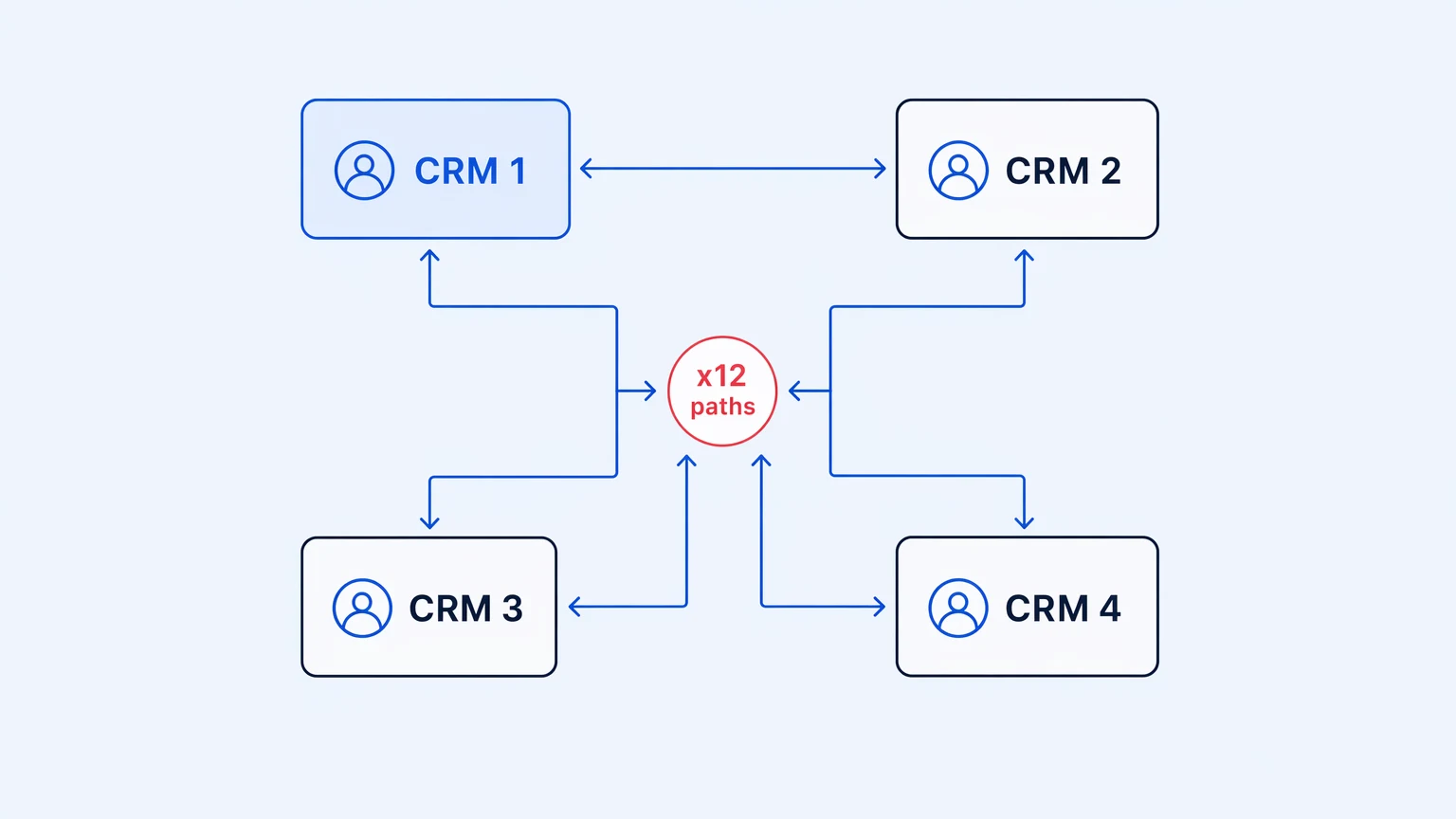
When you have two CRMs, point-to-point is fine. One sync, one schema mapping, one failure mode to watch. When you have three, the math gets ugly fast.
Three systems at parity — each pair bidirectionally synced — means you're maintaining six synchronization paths. Add a fourth system and you're at twelve. Each path has its own auth token lifecycle, its own retry logic, its own field mapping, its own dead-letter queue for when the target CRM is rate-limiting you at 11 PM because someone batch-imported 40,000 contacts. You don't have a data strategy at this point. You have a mesh.
Every sync path you add multiplies the blast radius of the next outage, not just its probability.
Field mapping makes it worse. "First name" is fine. But what does your Salesforce call the field that your HubSpot calls "Company vertical" and your acquired company's CRM stores as a tag? Multiply that across every entity type you sync — contacts, accounts, deals, activities — and you've created a translation problem that lives between your systems, owned by whoever wrote the Lambda function that nobody else fully understands.
What a single API layer actually does
The framing around "unified APIs" in this space tends toward abstraction as the goal: normalize Salesforce and HubSpot into a single schema, then consume that schema from everywhere. That solves one problem — field mapping — and introduces two others.
The first is fidelity loss. Salesforce's opportunity model and HubSpot's deal model don't map cleanly. Force them into a common shape and you'll drop fields your sales team considers critical, or you'll create a lowest-common-denominator schema that's accurate about neither. Custom objects make this worse; most CRMs allow arbitrary extensions, and a normalization layer that doesn't preserve them faithfully isn't actually a source of truth.
The second is coupling. When your single API layer is also your normalization layer, you've introduced a shared schema that every downstream consumer depends on. Change the canonical field name and you've broken every system reading from it.
A single API layer isn't about forcing your CRMs into a common schema — it's about routing control, retry logic, observability, and auth into one place so you stop rebuilding all of that per sync.
The more durable design separates abstraction from orchestration. The API layer handles what changes frequently and creates operational risk: authentication tokens, retry backoff, rate limit management, event routing, error capture. Schema translation can live there too, but it shouldn't be the reason the layer exists.
The API layer's job is to own the failure modes, not to hide the shape of each system.
Where the governance argument actually lands
The code hygiene argument for an API layer is real: consolidate sync logic, reduce duplication. But it's not the one that moves procurement. The one that moves procurement is governance.
When each CRM integration is its own Lambda function, you don't have a record of who touched the credentials. You don't have a log of what data moved between systems at what time. When the audit question arrives — "show me everything your CRM integrations wrote to the deal stage field between March 1 and March 15" — the answer is a scavenger hunt through CloudWatch logs. If any of the Lambda functions weren't logging at the field level (they probably weren't), the answer is "we're not sure."
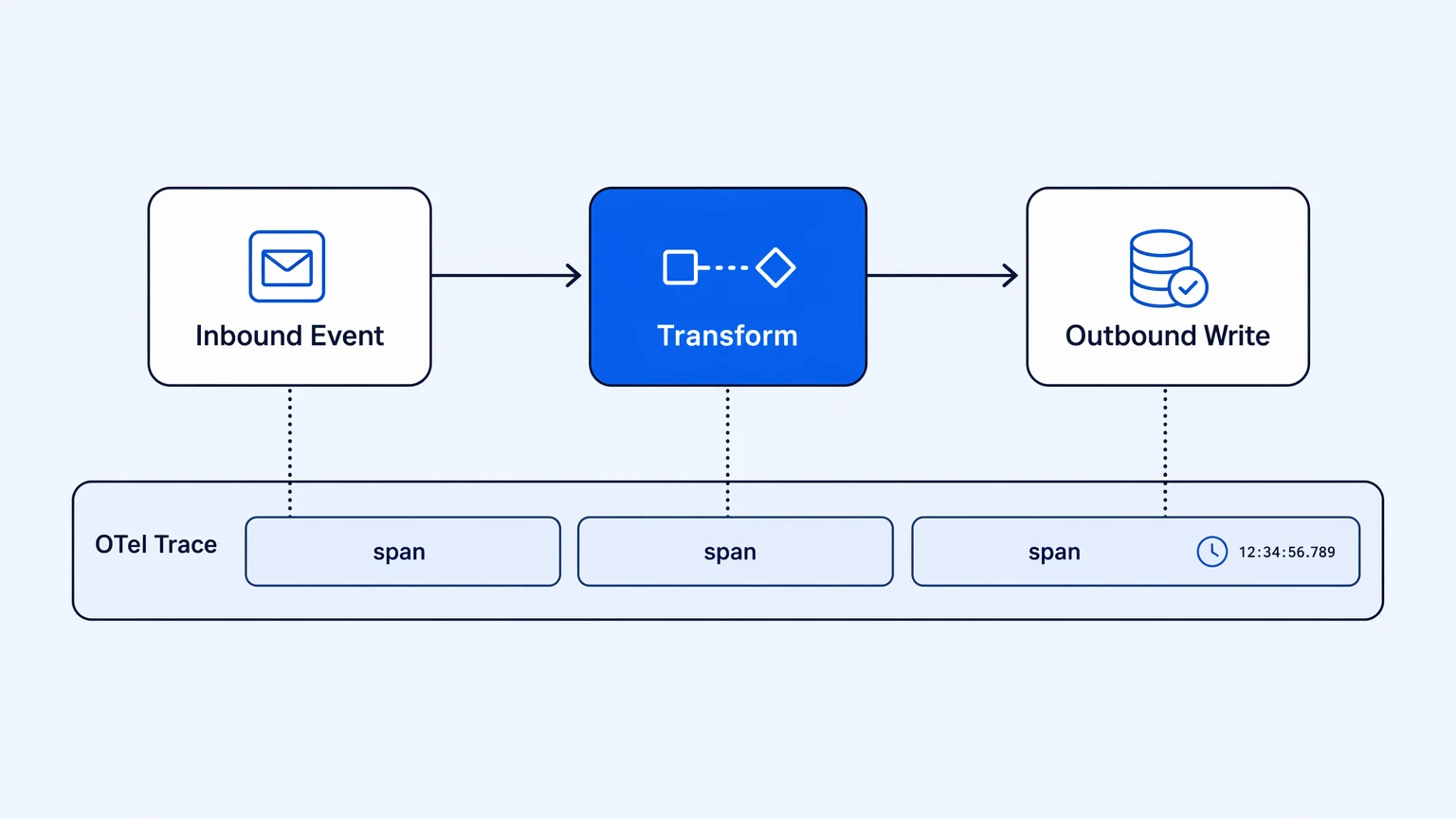
An API layer built on an integration platform changes the audit posture entirely. Every call is a trace. Every field write has a timestamp, a workflow identifier, and a target system. When something goes wrong in a sync — a contact gets silently overwritten, a stage reverts, a record drops — you have a replayable record of what happened, not a best guess.
OpenTelemetry on every execution is the specific capability that makes this auditable rather than theoretical. Traces should span the full round-trip: the inbound event from CRM A, the transformation, the outbound write to CRM B, the response, the retry if the first attempt failed. That span should be searchable by entity ID, by CRM, by field name. Without it you're flying with instruments but no altitude readout.
Observability isn't a nice-to-have in multi-CRM sync — it's the thing you reach for first when a deal's data is wrong and a VP wants to know why.
The design that holds up
Teams that have built this before — and had to maintain it — usually end up at the same shape.
There's a single inbound surface that receives events from all CRMs — webhooks normalized at ingestion so the downstream doesn't care whether the event originated in Salesforce or HubSpot. This is where you handle authentication, verify signatures, and route to the right workflow.
Each CRM gets its own workflow path rather than a shared path with conditionals. Trying to handle Salesforce's event model and HubSpot's event model in a single workflow that branches on system type leads to spaghetti; three separate, readable workflows that happen to write to the same canonical store is easier to debug and easier to change independently.
Schema translation happens at the edge, close to the source system, and it's version-controlled. When Salesforce changes a field, you change the mapping in one place and test it before promoting to production. The canonical internal model that your data warehouse and your BI tool depend on is insulated from upstream CRM changes.
Version control on the integration logic is the piece most organizations get wrong the first time. Your CRM integrations are software. They have bugs, they change, they need rollback capability when a mapping change corrupts a week of data. Treating them as configured recipes in a UI-only tool — without a branch, without a test, without a deployment record — means that when something breaks, the fix is a manual re-edit with no paper trail, and you can't tell what changed. Real Git versioning with in-platform branching, where you raise PRs through your existing GitHub or GitLab flow, means your CRM integration changes go through the same review process as application code.
The team that built the integration in a UI-only tool at 2 PM on Thursday and broke prod on Friday morning is living the version-control argument for you.
Integration logic that isn't version-controlled is technical debt with a slow fuse.
The honest tradeoff
An integration platform as the API layer adds overhead. You're running another system, paying for it, learning its abstractions. For two CRMs that barely communicate, that trade may not be worth it — a well-written sync script with proper error handling, OpenTelemetry instrumentation, and a Git history might be the right call.
The inflection point arrives when the mesh grows, when the audit requirements come in, or when the team that owns the Lambda functions turns over. At that point a platform layer pays back in operational clarity — one place to look when something breaks, one place to update when a CRM changes its API, one place the compliance team can actually query.
For mid-market teams managing three or more CRM integrations across a heterogeneous stack, that inflection point usually arrives earlier than expected.
If you're evaluating what that platform layer looks like in practice, Koodisi handles this pattern directly. Git-native workflows, OpenTelemetry from the Community tier, no per-execution overages. The Community tier is free with no credit card required — you can run a real workflow against a real CRM before you decide anything.