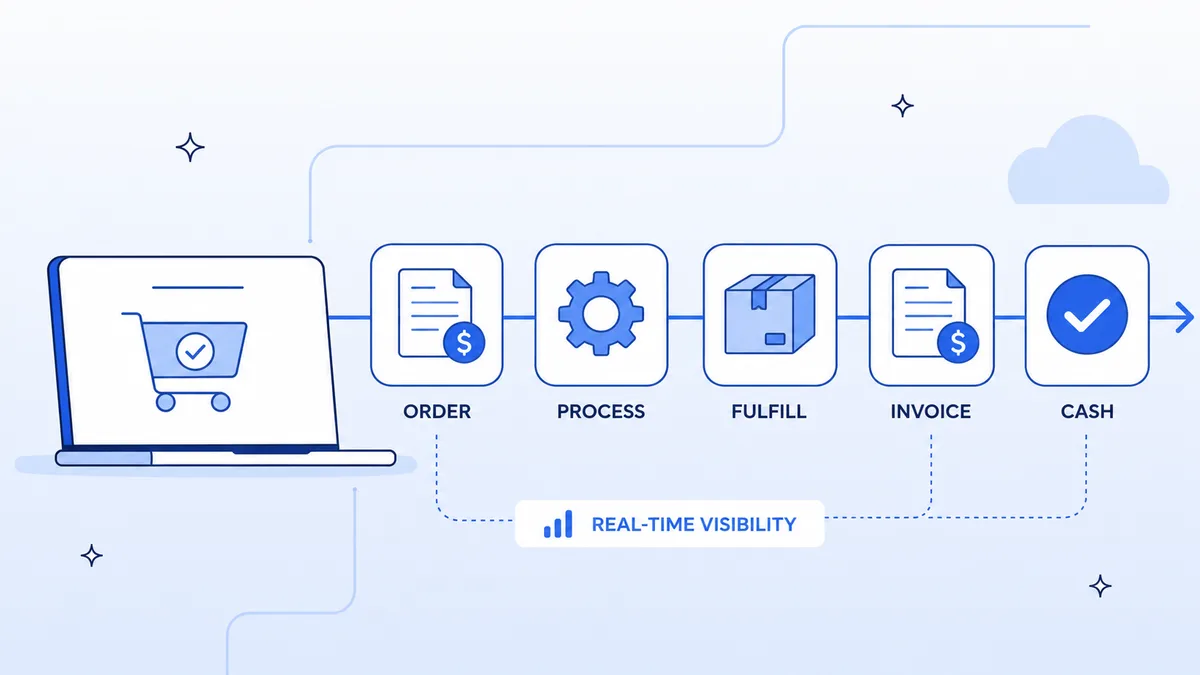
Order to cash automation connects the systems that handle order capture, inventory, fulfillment, invoicing, and payment into a single orchestrated workflow. Manual O2C processes average 25–30 days from order to cash receipt. Automated ones run in 2–5 days — sometimes hours.
This guide breaks down the full O2C cycle, where enterprises lose the most time, and how to build the automation step by step.
What Is the Order to Cash Process?
Order to cash (O2C or OTC) is the operational and financial process that starts when a customer places an order and ends when payment is collected and reconciled in your ERP.
The complete O2C cycle covers seven stages:
- Order capture — customer places an order via e-commerce, EDI, or sales rep
- Order validation — pricing, inventory, and credit checks run before fulfillment
- Order management — approved order is entered into the ERP (NetSuite, SAP, etc.)
- Fulfillment — warehouse picks, packs, and ships; or service delivery is triggered
- Invoicing — the ERP generates an invoice based on what was shipped
- Accounts receivable — invoice is sent and payment tracked until collected
- Cash application — payment is matched to the invoice and posted to the ledger
Most enterprises automate order capture (step 1) and stop there. Steps 2–7 still run manually across 3–5 different systems.
Why Manual O2C Costs You More Than You Think
The cost of a slow O2C cycle is rarely a line item on a budget — it shows up as working capital locked in unpaid invoices, customer service calls about order status, and finance teams doing reconciliation marathons at month end.
Three numbers that quantify the problem:
- $2.7M — the average annual productivity cost of manual data re-entry in O2C processes for a mid-market company (Aberdeen Group)
- 23% of invoices are disputed or delayed because of errors introduced in manual order entry (Billentis, 2025 Report on e-Invoicing)
- 14 days is the average invoice-to-cash lag for companies without automated payment matching — vs. 4 days for automated shops (Ardent Partners)
The root cause is the same in every case: data moving between systems by email, spreadsheet, or hand re-keying.
How to Automate Order to Cash with Koodisi
Koodisi orchestrates the full O2C cycle by connecting your order sources (CRM, e-commerce, EDI), ERP, fulfillment systems, and payment platforms into a single no-code workflow.
Step 1: Capture and Validate the Order
Koodisi listens for new orders across your channels simultaneously:
- CRM orders (Salesforce): webhook fires when an opportunity closes or an order object is created
- E-commerce orders (Shopify, Magento): webhook fires on order creation
- EDI orders: SFTP activity polls your EDI drop folder and parses the 850 transaction set
Trigger: Webhook → Salesforce New Order / Shopify order.created
OR
Trigger: SFTP Poll → parse EDI 850 transaction
Once received, a Decision activity runs validation logic: check inventory availability via your ERP's API, check customer credit limit, validate pricing against the approved price list. If any check fails, the workflow routes to an exception queue and notifies the sales rep — not a human inbox that someone will forget.
Step 2: Create the ERP Order Record
If validation passes, Koodisi creates the Sales Order in your ERP automatically — no re-keying.
Action: Mapper → map order fields to ERP schema
Action: REST Client → POST /salesorders (NetSuite)
OR
Action: REST Client → POST /SalesOrders (SAP S/4HANA OData)
Field mapping handles the translation between your order source schema and your ERP's schema. A Shopify order line item maps to a NetSuite Sales Order line item. An EDI segment maps to an SAP order field. You configure this once in Koodisi's visual mapper — it runs every time.
Step 3: Trigger Fulfillment
Once the ERP order exists, Koodisi calls your warehouse management system (WMS) or 3PL to release the pick order.
Action: REST Client → POST /fulfillment/orders (3PL API)
Action: SendMessage → notify warehouse team via Slack or email
For service businesses, "fulfillment" is service scheduling — Koodisi can create a project in your PSA tool (Certinia, ServiceNow) from the order record.
Step 4: Generate and Send the Invoice
When fulfillment confirms shipment (via webhook or status poll), Koodisi triggers invoice generation in the ERP. It then retrieves the invoice PDF and emails it to the billing contact — with the correct remittance instructions and payment link.
Trigger: Webhook → WMS shipment confirmed
Action: REST Client → POST /invoices (NetSuite — generate invoice)
Action: REST Client → GET /invoices/{id}/pdf (retrieve PDF)
Action: SendMessage → email invoice to billing contact
No one manually downloads invoices from the ERP and sends emails.
Step 5: Track Receivables and Chase Overdue Payments
Koodisi runs a scheduled workflow (daily or weekly) that checks outstanding invoice status in your ERP. Invoices past due by X days trigger an automated reminder email — personalized per customer, escalating in tone each week.
Trigger: Schedule → daily at 8 AM
Action: REST Client → GET /invoices?status=open&due_before=today (NetSuite)
Action: Conditional → if overdue by 7 days → send reminder 1
Action: Conditional → if overdue by 14 days → send reminder 2 + alert AR team
Step 6: Apply Cash to the Ledger
When payment arrives (Stripe webhook, bank feed, or lockbox file), Koodisi matches it to the open invoice and posts the cash application to the ERP.
Trigger: Webhook → Stripe payment.succeeded
Action: Mapper → match payment to invoice by reference number
Action: REST Client → POST /customerpayments (NetSuite — apply payment)
Automatic cash application eliminates the month-end reconciliation sprint. Your AR balance is accurate in real time.
Systems Connected in a Full O2C Workflow
| O2C Stage | System | How Koodisi Connects |
|---|---|---|
| CRM / Sales Orders | Salesforce | REST Client via Salesforce REST API |
| E-commerce | Shopify, Magento | REST Client via Shopify/Magento REST API |
| EDI Orders | EDI (850/810 transactions) | SFTP activity + CSV/EDI parser |
| ERP | Oracle NetSuite | REST Client via NetSuite REST Web Services |
| ERP | SAP S/4HANA | REST Client via SAP OData APIs |
| Fulfillment / 3PL | Any WMS with an API | REST Client |
| Payment Collection | Stripe, PayPal, Square | REST Client via respective APIs |
| AR Tracking | NetSuite, SAP, Sage | REST Client |
What O2C Automation Delivers
| Metric | Manual Process | Automated with Koodisi |
|---|---|---|
| Order entry time | 15–30 min per order | Under 1 minute |
| Invoice-to-ship gap | 1–3 days | Same day |
| Invoice error rate | ~23% | Under 2% |
| Days Sales Outstanding (DSO) | 25–35 days | 8–14 days |
| Month-end close | 5–10 days | 1–3 days |
DSO reduction alone is the most measurable ROI. Cutting DSO from 30 days to 12 days on $10M in monthly revenue frees $6M in working capital — cash that was sitting in unpaid invoices.
Frequently Asked Questions
What is order to cash automation?
Order to cash automation connects the systems that handle order capture, ERP entry, fulfillment, invoicing, and payment collection so the entire process runs without manual handoffs. A customer places an order; your ERP, warehouse, and billing system update automatically.
How is O2C different from quote to cash?
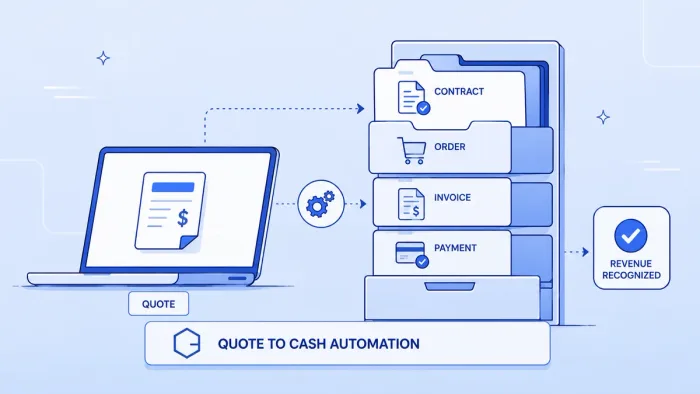
Quote to cash (Q2C) starts before the order — at the quote and CPQ stage. Order to cash starts when the customer order is placed. Q2C ends at order creation; O2C handles everything after that: fulfillment, invoicing, and payment collection.
Does Koodisi connect to both NetSuite and SAP?
Yes. Koodisi connects to Oracle NetSuite via NetSuite's REST Web Services API and to SAP S/4HANA via SAP's OData APIs — both through Koodisi's no-code REST Client. You configure authentication and field mappings in the visual builder without writing code.
Can this handle high-volume order scenarios?
Koodisi's workflow engine is built for enterprise scale. It handles burst order volumes through parallel processing and queue management — so peak periods (Black Friday, end-of-quarter) don't create backlogs.
What if our ERP uses EDI instead of a REST API?
Koodisi has a native SFTP activity and can parse EDI transaction sets (850, 855, 856, 810). For AS2-based EDI, Koodisi polls the AS2 mailbox or receives push notifications and routes the parsed order data into the ERP.
How long does O2C automation take to implement?
Most teams deploy a working O2C automation in 3–6 weeks. The timeline depends on the number of order sources and ERPs involved. A single-channel, single-ERP workflow (e.g., Salesforce → NetSuite) typically deploys in 2 weeks.
Can Koodisi automate cash application as well as invoicing?
Yes. When payment is received via a payment gateway webhook (Stripe, Square, Adyen), Koodisi matches the payment to the open invoice by reference number and posts the cash application to the ERP's accounts receivable module.
Want to see the O2C workflow built on your systems? Book a demo and we'll map your order-to-cash stack in the first call.