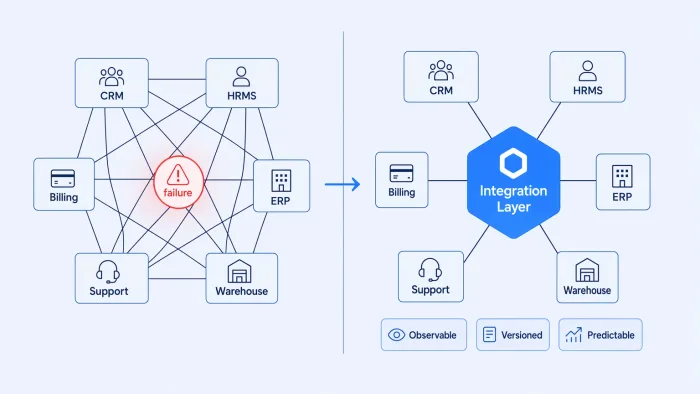
You inherit the Salesforce-to-ERP sync on your first week. It runs nightly. Nobody knows when it was written, who wrote it, or what it does to error cases. The HR system fires events into it; the ERP writes back. On Tuesday it breaks. You have no trace. The ticket says "check the logs," and the logs are a 40-line JSON blob with one field that reads "status": "unknown".
That's enterprise application integration. Not the vendor slide deck. The actual thing — one specific, load-bearing case of what enterprise integration means once you get past the marketing definitions.
EAI is the practice of connecting enterprise systems — CRMs, ERPs, HR platforms, data warehouses, external APIs — so they share data and coordinate business processes without becoming a permanent on-call obligation. Every engineering team at mid-market scale is doing EAI, whether they call it that or not. The question is whether the tools they're using make it manageable.
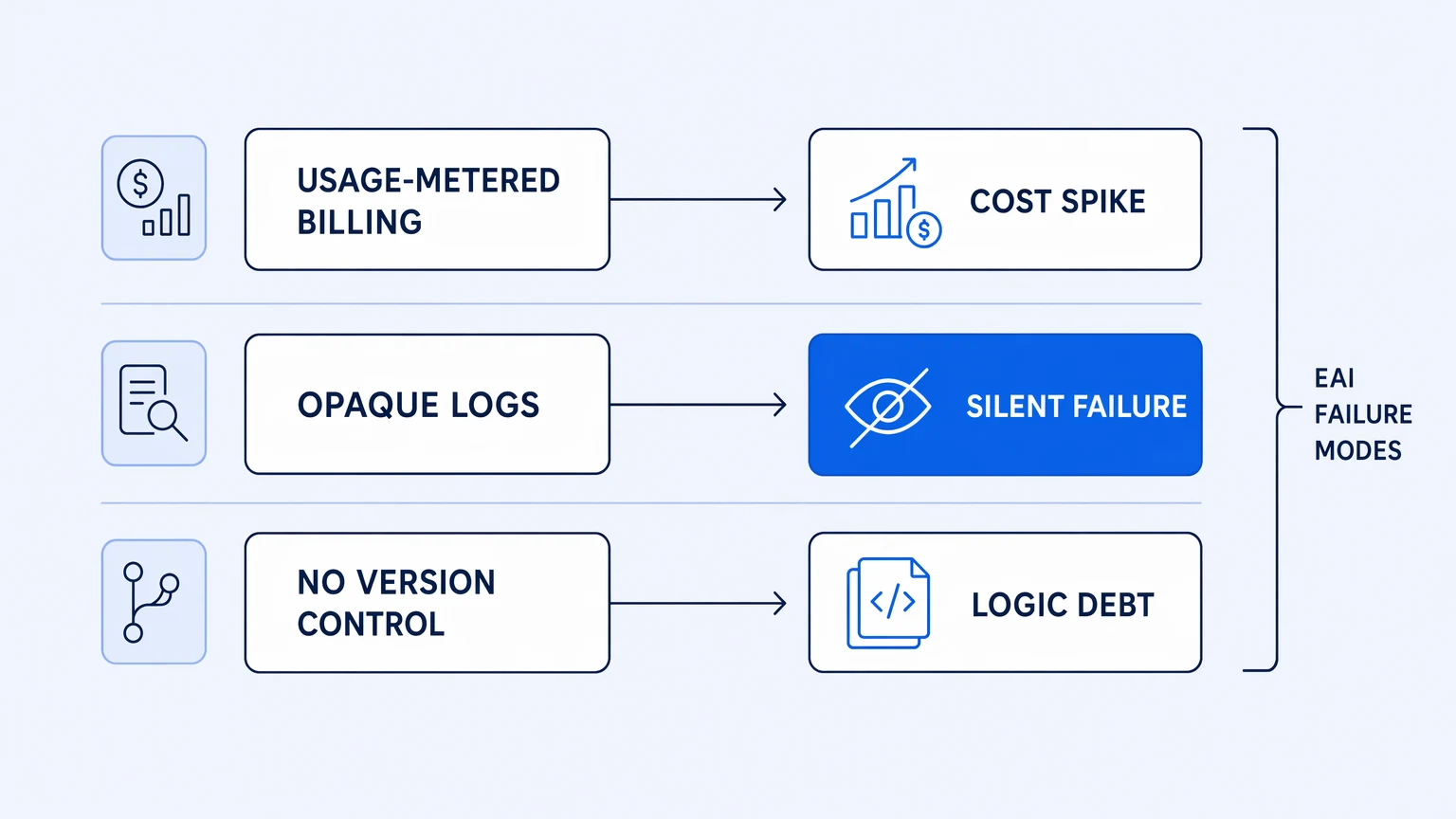
Most coverage of this topic spends its time on taxonomy — point-to-point vs. hub-and-spoke, ESBs, message queues, iPaaS. That's fine background. But if you're running integrations in production, the taxonomy is not your problem. Your problem is that the bill spiked because a loop retried three hundred times, or that a failure went undetected for four hours because there were no traces, or that the engineer who built the sync left and nobody can read the workflow. Those are the actual failure modes of enterprise application integration. The rest of this post is about those.
EAI Isn't a Category — It's a Production Problem
The standard framing is that EAI describes a class of technical problems: how do you move data between systems that weren't designed to talk to each other, while preserving data integrity, handling schema differences, and not coupling the systems together at the seams?
That framing is correct but incomplete. It treats integration as a design-time challenge. The harder problem is runtime.
A well-designed hub-and-spoke integration breaks in production when the hub is opaque. An event-driven integration fails silently when the consumer is down and nobody notices the dead-letter queue filling up. A "business rule in a workflow" becomes a liability the moment the rule changes and nobody knows where to find it.
The production failure modes of EAI are almost never caused by the integration pattern — they're caused by the tooling layer that implements it.
Consider what breaks most often in enterprise integration:
- A retry storm in an upstream system triggers hundreds of duplicate executions. On usage-metered platforms, each execution counts. The invoice reflects the upstream failure, not the workload you planned for.
- A workflow fails three hours before anyone notices, because the platform's "monitoring" is a proprietary dashboard that doesn't emit to the same observability stack where your engineers already work.
- The logic for a business rule — a routing decision, a data transformation, a conditional — lives inside a recipe or workflow with no version history. Nobody can tell what changed last Tuesday.
These aren't edge cases. They are the standard failure modes at mid-market scale, inherited from the era when integration platforms were built to be administered rather than operated.
The Billing Model Is a Hidden Risk
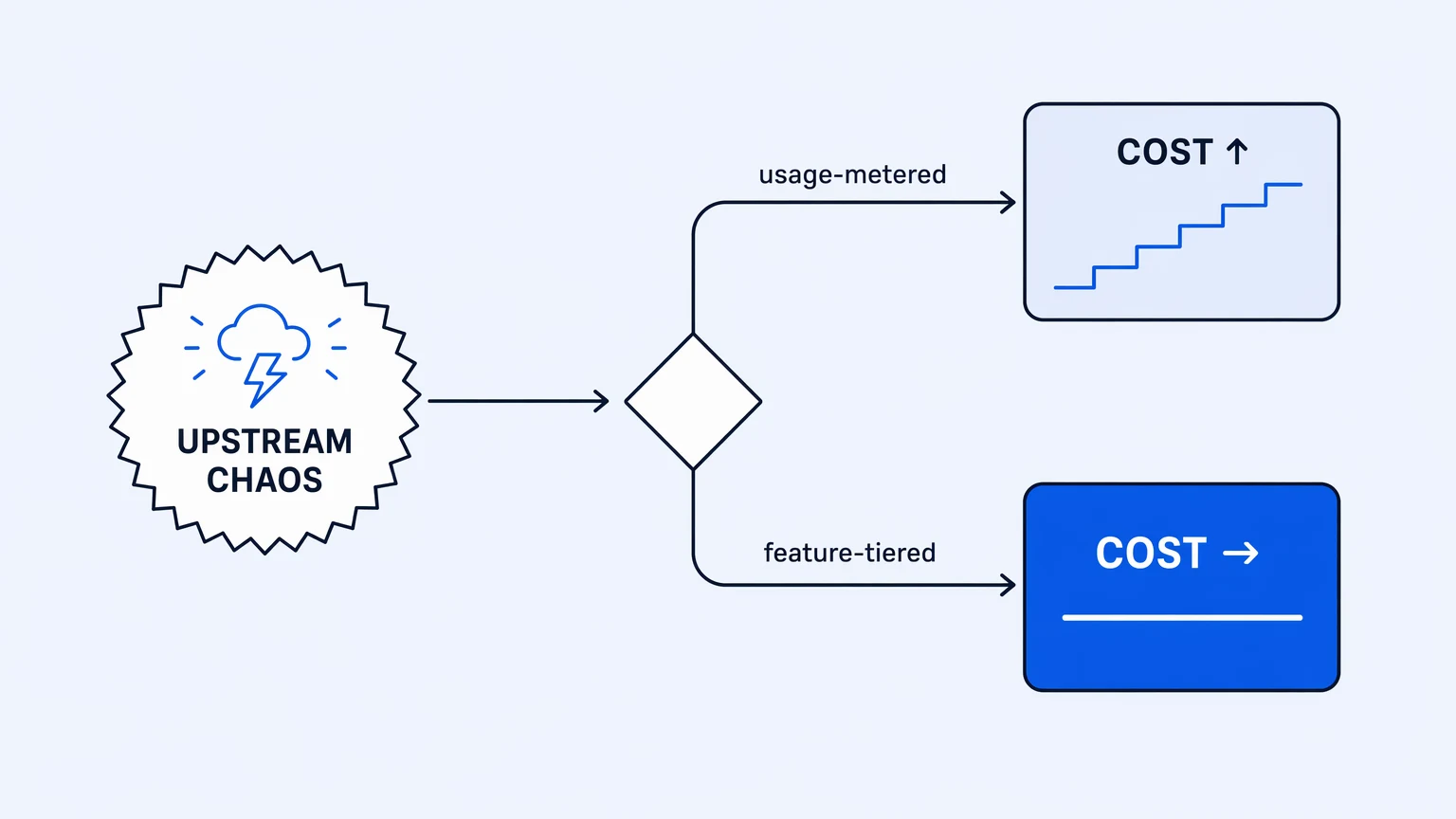
Usage-metered billing is the default across most integration tooling. You pay per task, per recipe execution, per operation, with caps or overages depending on the tier. The model made sense when integrations were low-frequency batch jobs. It's a structural problem when workflows are load-bearing and upstream systems are unpredictable.
Here's why: most enterprise integration workflows don't fail cleanly. A payment system sends a duplicate event. An HR platform retries a failed webhook. A message bus fans out to six downstream consumers and two of them time out. Each of these scenarios generates execution volume the engineering team didn't plan for and can't fully control. On a usage-metered platform, that volume lands on the invoice.
The CFO gets the invoice. The CFO asks the engineering team to explain it. The engineering team explains retries and fan-out to someone who didn't ask for a distributed systems lecture.
The billing model for your integration platform is an unhedged bet on how well every upstream system behaves.
Feature-tiered pricing removes this coupling. Your bill is determined by what capabilities you've licensed, not by how many times a workflow ran this month. You still need to monitor execution volume — runaway loops are a reliability problem regardless of cost — but the cost surface is predictable before the month starts.
The billing model for an integration platform is a risk management decision, not just a procurement one.
Observability Isn't a Feature Add — It's the Debugging Surface
When an enterprise integration fails, the question is always: what actually happened? Not "did the workflow succeed," but which step, with what payload, under what conditions, at what time.
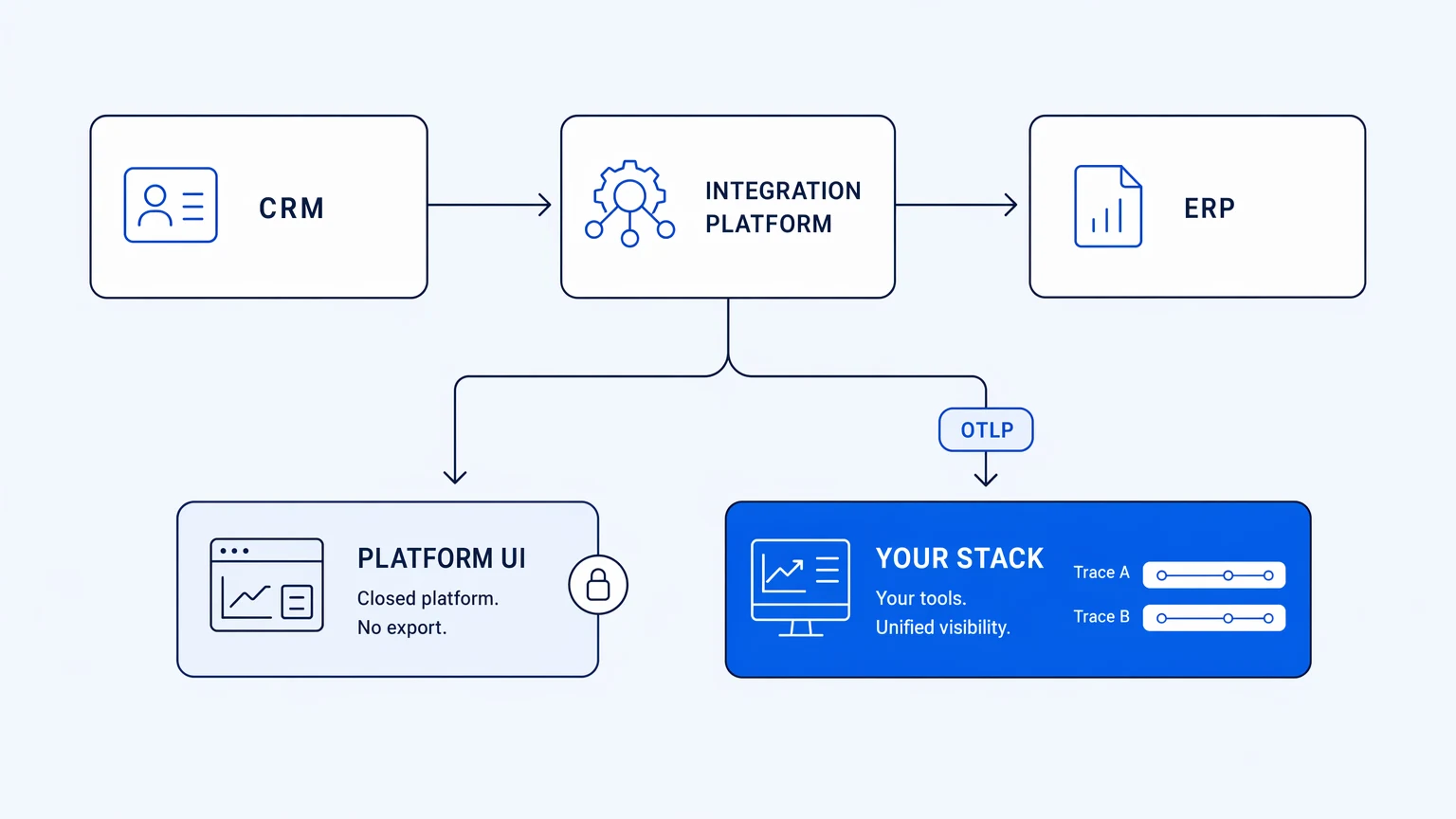
Most integration platforms have some form of logging. The problem is architecture: the logs live in the platform. When something breaks, you pivot to a separate UI, apply a different filter paradigm, work with data that doesn't join to your application traces or infrastructure metrics. You're debugging in isolation.
This matters more than it sounds. Integration logic spans multiple systems — a CRM event triggers a workflow that calls an ERP API that updates a database. The failure might be in the calling side, the receiving side, or the protocol between them. Diagnosing it requires a trace that crosses all of them. If the integration platform's telemetry doesn't export in OpenTelemetry format to your existing observability stack, you're left corroborating two separate sets of logs and guessing at the sequence.
OpenTelemetry has become the de facto telemetry standard precisely because it solves the correlation problem. When integration traces are emitted as OTLP spans, they land in the same tool your engineers already use — Honeycomb, Datadog, Grafana, whatever you've standardized on. The integration failure and the upstream service failure appear in the same trace view, with the same attribute model, queryable by the same team.
Integration observability that stays inside the platform is worse than no observability, because it creates false confidence that you can see the failure.
The requirement for modern enterprise application integration tooling isn't "has monitoring." It's "emits OpenTelemetry on every tier, exportable to your stack."
Version Control Is the Other Requirement Vendors Gloss Over
The taxonomy of EAI patterns — point-to-point, hub-and-spoke, message bus, event streaming — is about data flow. What it doesn't capture is the governance problem: who can see what logic, who changed it, and when.
Enterprise integration workflows encode business rules. A routing condition in a workflow is a business decision expressed as code. When that condition changes — because a regulation changed, a customer tier changed, a pricing model changed — the change needs to be reviewed, approved, and traceable.
On most platforms, the workflow is an internal artifact. It lives in the platform's own storage, managed by the platform's own version history (if it has one at all). You can see "before and after" if the platform provides it. You cannot do a proper code review. You cannot require approval before a change ships. You cannot roll back to a known good state using your standard tooling.
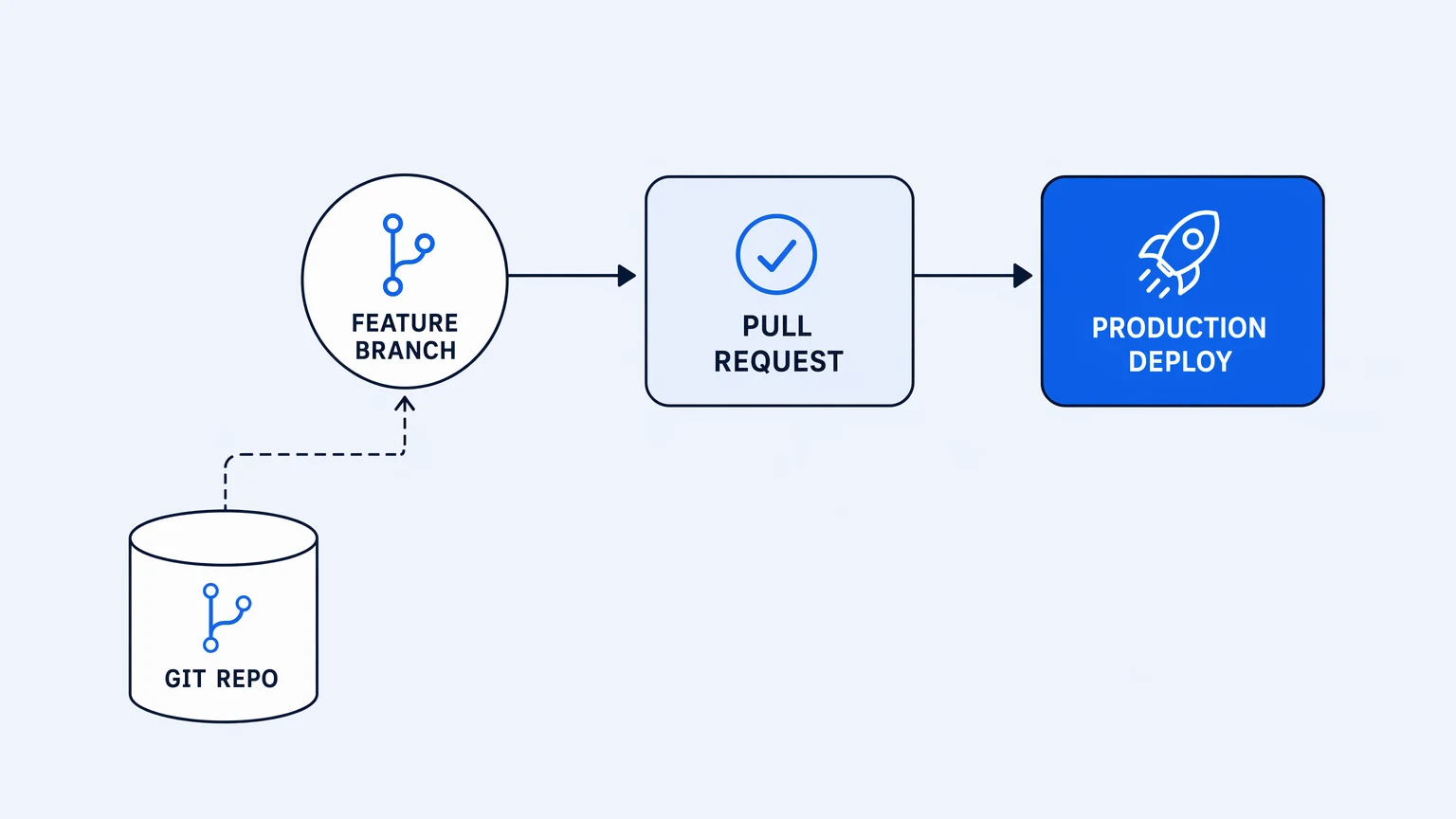
The correct model is the one engineering teams already apply to every other production artifact: the integration logic lives in Git, in your repository, reviewed via your existing pull-request flow. Changes go through the same review gate as application code. The production state is deterministic from the repository state.
This isn't a luxury. It's the same discipline that made application deployment manageable. A workflow that fails silently and has no version history is the integration equivalent of a bash script nobody runs tests on — you inherit it and hope nothing changes.
Real Git versioning for integration logic means: your workflow definitions are actual files in your repository, you branch in the platform to develop and test changes, and you raise pull requests through your GitHub or GitLab flow before anything reaches production. That's the scope of the claim — Git versioning and in-platform branching are real; the PR flow runs through your existing provider.
The governance properties of your integration platform should match the governance properties of the rest of your production stack — and that standard is Git.
The Honest Tradeoff
None of this is free. Feature-tiered pricing trades cost predictability for a fixed capability ceiling — you need to choose the right tier before you build, not after. Native OpenTelemetry export requires that you already have an OTLP-compatible observability stack to export to; if you're running a self-hosted logging setup with no standardized telemetry, the benefit is real but the setup cost is yours to bear. And real Git integration is more work up front than clicking "save" in a recipe editor — you're adopting a real branch-and-review workflow, which requires engineering discipline to sustain.
The tradeoff is worth it for teams running load-bearing integration logic in production. For teams running a handful of low-frequency, low-stakes automations, the overhead may not be justified.
Where to Go From Here
Enterprise application integration is one of those categories that every engineering team lives inside without always naming. The problems are consistent: silent failures, unpredictable costs, logic that only one person understands. The solutions are available, but not the default.
If you're evaluating integration tooling for production use, the three questions that matter most are: how does the billing model behave under upstream chaos, where does the telemetry actually land, and what does your version control story look like for integration logic?
Koodisi answers all three: no per-execution billing and no overage invoices, OpenTelemetry on every tier from the free Community plan, and real Git versioning with in-platform branching. Start on the Community tier with up to 1,000 executions free — no credit card required — and run your first workflow against your own systems before you commit to anything.