You have automated workflows. You know this because you have a line item in the monthly vendor invoice, a Slack channel that pings when something fails, and a folder somewhere with YAML or JSON or a visual recipe a contractor built eighteen months ago and nobody on the team has touched since. What you might not have is a clear answer for what "automated" actually means when a critical workflow breaks at 2 AM and nobody has a trace to look at.
That's the more useful version of the question. Not the glossy-deck definition — it's fine — but the production version, the one that only surfaces after you've bet something load-bearing on the stack.
What workflow automation actually is (skip this if you already know)
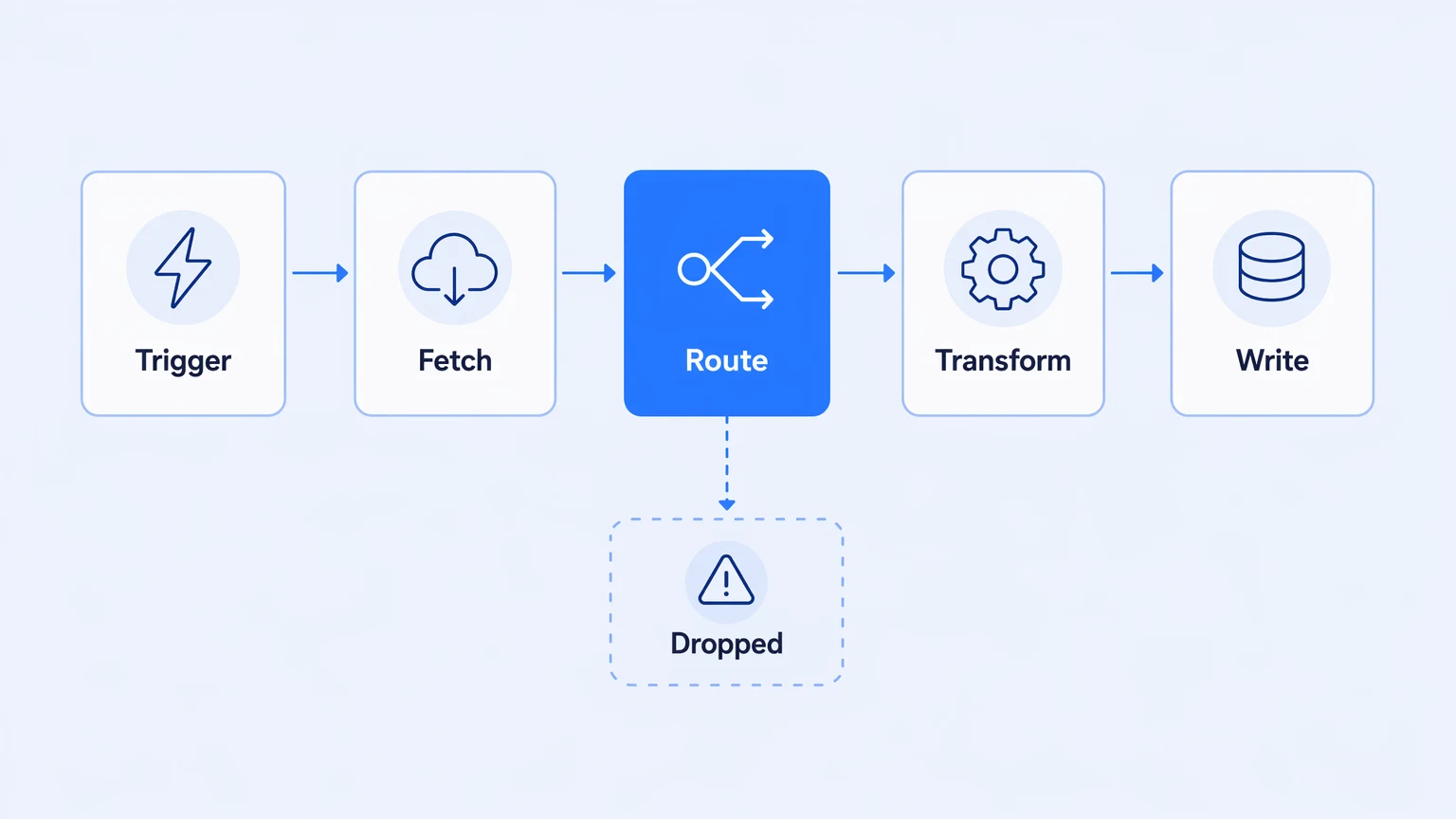
The short definition: workflow automation is execution of a multi-step business process without human intervention at each step. A trigger fires, a sequence of activities runs — fetching data, transforming it, routing it, calling APIs, writing records — and the result lands somewhere useful. Nobody clicks "go."
That's correct, and it's also the level at which every vendor operates. The ROI pitch is built on it: replace the human doing repetitive data entry, cut the error rate, free up headcount. That case is real. But it's also the easy part, and it's not where engineering teams run into trouble.
Engineering teams run into trouble in production. The thing that makes workflow automation hard there is not the concept — it's the gap between "this runs when I test it" and "this runs reliably, observably, and at predictable cost, at scale, for the next two years."
The definition everyone knows isn't wrong. It just leaves out the parts that matter at 2 AM.
The failure modes vendors don't mention in slide five
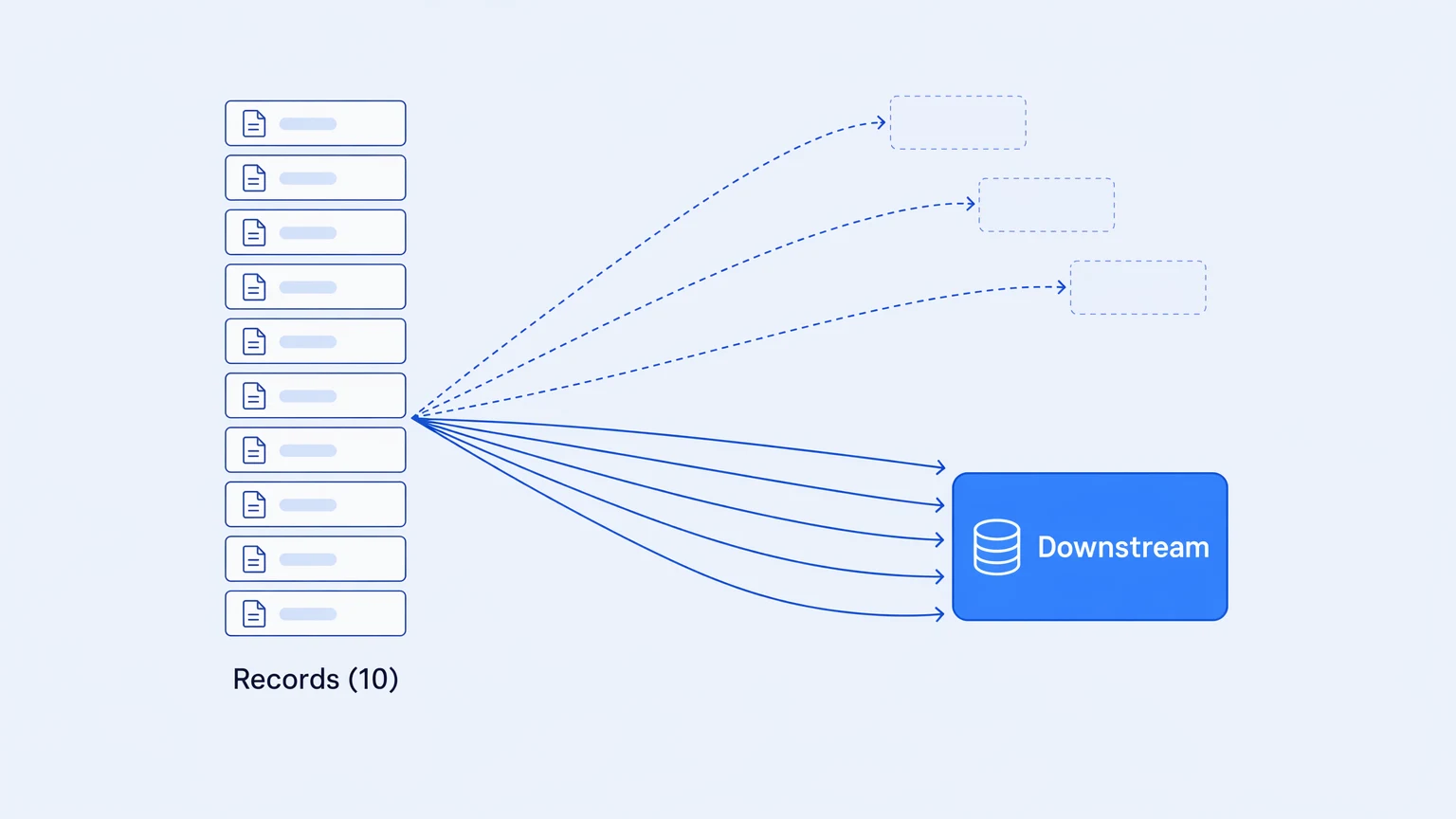
The standard workflow automation case study doesn't cover what happens when a workflow runs ten times normal volume, or when a mapping step produces a malformed payload that propagates silently through five downstream systems before anyone notices, or when the engineer who built the flow leaves and the new hire can't find its version history.
Silent failure is the first and most underrated one. A workflow can fail partially — processes three-quarters of the records, drops the rest without alerting, and the downstream system is missing data it doesn't know it's missing. The best observability tool most teams have for this is a complaint from a business user, three days later. This isn't rare. It's the default state for any workflow running on a platform without distributed tracing. You don't know it failed until someone downstream notices the gap.
The second failure mode is bill behavior during a spike. Most workflow automation pricing is usage-metered — you pay per task, per execution, per action step. When your workflow doubles in volume because a campaign launched or a catastrophe hit or a vendor sent a batch twice, the platform charges proportionally. It might also charge for retries when the downstream API was slow, and for loop iterations inside the workflow, and for the steps that ran on a failure that never completed. On your worst operational day, the meter runs hardest. That's not an edge case. It's structural.
The third is version-control debt. A workflow that matters — one a compliance team will eventually audit or a new engineer will need to change — needs a history. Who changed it, when, and why. The ability to diff two versions and understand what moved. The ability to roll back without ceremony. Without it, every change to a load-bearing workflow is a deploy you can't undo and an audit question you can't answer.
Most workflow automation platforms are built for the demo, not the postmortem.
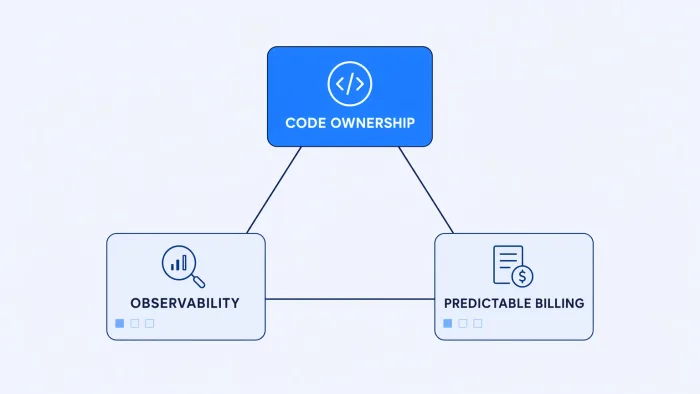
These three failure modes — silent failures with no traces, billing that spikes on your worst days, and workflows you can't version or audit — are not arguments against automation. They're arguments for being precise about what you're buying.
What separates a workflow tool from integration infrastructure
There's a category distinction the market has been slow to make explicit, but engineering teams land on it quickly once they start treating workflows as something they'll have to own for years.
A workflow tool optimizes for the first run. Low friction to start, visual interface, fast time-to-first-workflow. That's genuine value, and it's the right product for automations that live at the edge of your stack — Slack notifications, form submissions, marketing handoffs.
Integration infrastructure optimizes for the hundredth run. It assumes the workflow will run in production, be changed by someone other than its author, trigger alerts when it fails, export its telemetry to wherever the SRE team looks, and survive an audit. The surface area is larger and setup friction is higher. But for load-bearing workflows — HRIS sync, order fulfillment, claim intake, financial reconciliation — the infrastructure assumptions are not optional.
The mistake most teams make is using a workflow tool for an infrastructure job. Not because they're careless. The tool was fast to start, it worked in testing, and by the time it was carrying production load, switching felt expensive. The technical debt compounds. The platform becomes a dependency the team manages around rather than one that serves them.
Which problems land in your workflow layer determines which category of tool you actually need.
The three requirements that separate infrastructure from tools
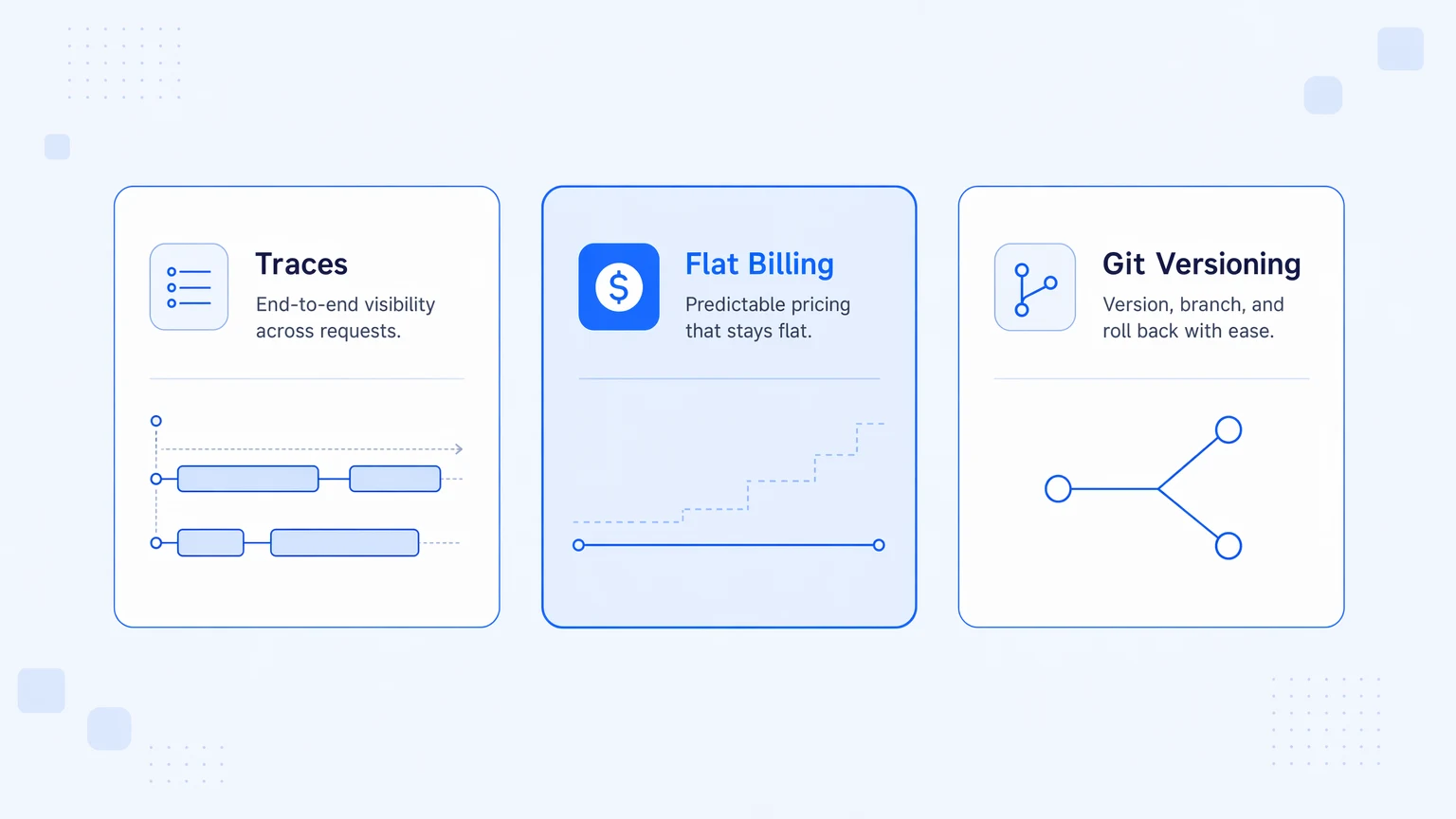
If you're evaluating platforms — or auditing what you already have — three requirements separate infrastructure-grade workflow automation from tool-grade:
Traces, not a run log. "Run succeeded / run failed" is not observability. You want a span for every activity step, exportable in OpenTelemetry format to wherever your team looks — Datadog, Honeycomb, Grafana Cloud, whatever. This is what lets you pinpoint exactly which step in a twelve-activity workflow produced a malformed payload and sent it downstream. Without it, debugging is archaeology — the deeper case for why this matters is in why unobservable integration stacks are the real hidden bill.
Bill behavior that doesn't scale with execution volume. For load-bearing workflows, execution count means "this is working," not "this is costing more." Retries on a slow downstream API should not appear on your invoice. Fan-out patterns that turn one event into fifty parallel branches should not multiply your monthly charge by fifty. Feature-tiered pricing — where the bill scales with capability adoption, not execution volume — is the right model for production-scale workflows.
Workflows in your Git repo, not in the vendor's database. The integration you build should exist as a real file, with real version history your team controls. Branch, diff, roll back, and trace who changed what and when. "Source control" that turns out to be a JSON snapshot backup, or a gated enterprise add-on, or something that exports structure but not history — none of that is sufficient for a workflow a compliance team will audit or a new engineer will need to maintain.
These aren't differentiators. They're the baseline for treating your integration layer as software rather than a configured black box.
The real definition, production edition
Workflow automation is execution without human intervention at each step. That part is correct and covers 90% of what vendors mean when they say the phrase.
The 10% that matters for engineering teams: what happens when the workflow runs at ten times normal volume, or fails silently, or needs to be rolled back, or needs to explain itself to an auditor? A platform that can't answer those questions confidently isn't automating your workflow — it's hosting it, with you on the hook for the gaps.
Most teams get there eventually — treating automation as infrastructure rather than as a feature. That means the same discipline as the rest of the production stack. Version control. Observability. Cost that doesn't surprise you when something goes sideways. The tooling in your integration layer should earn that treatment, not require you to bolt it on yourself — the fuller architectural case is in what enterprise integration actually requires.
Koodisi ships with OpenTelemetry on every tier from the free plan, feature-tiered pricing with no per-execution billing and no overage invoices, and real Git versioning backed by your existing GitHub or GitLab flow. If you want to see what a load-bearing workflow looks like running on infrastructure instead of a recipe box, the Community tier is a real free plan: 30 workflows, 1,000 executions per month, no credit card. Start there.