
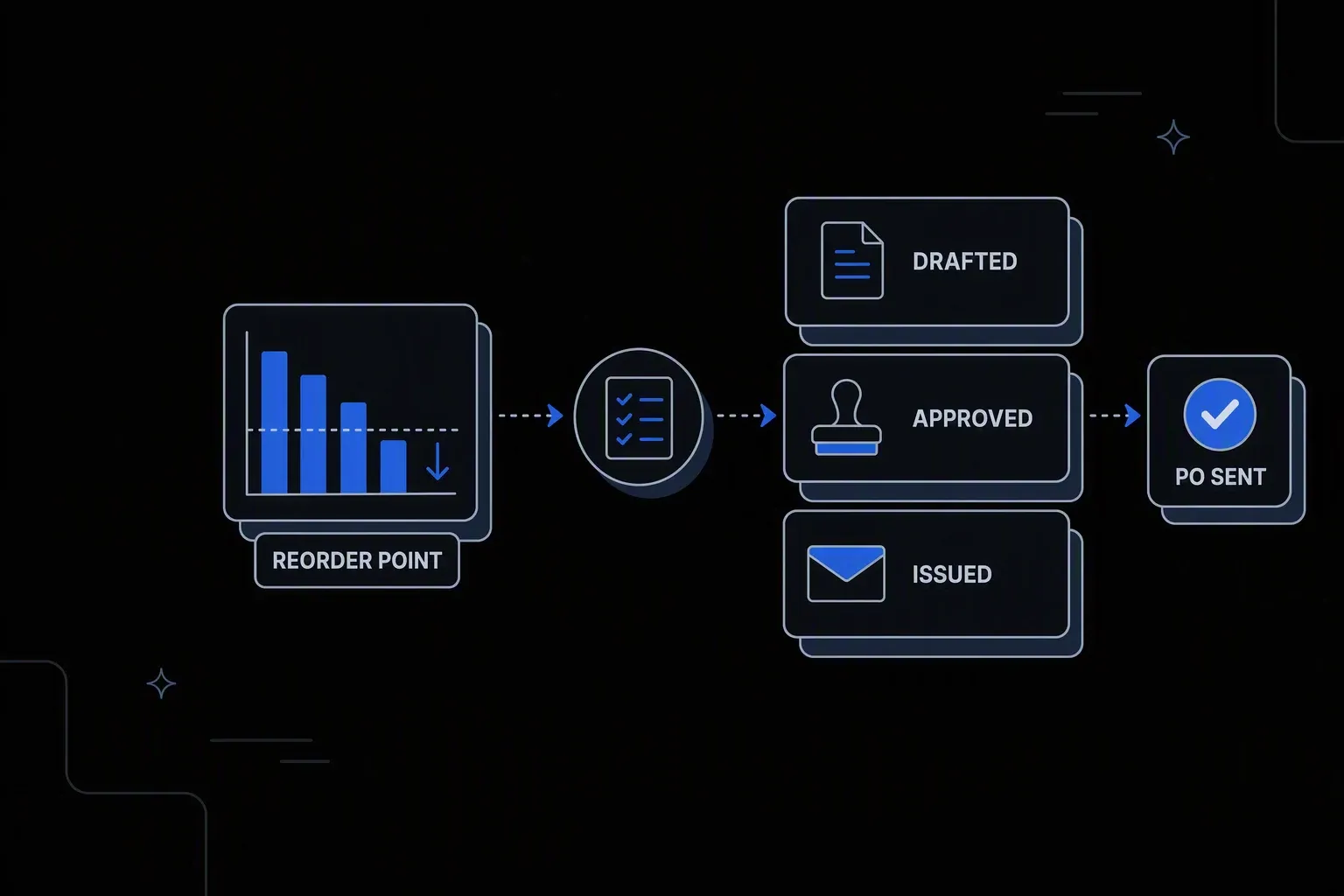
Automate Purchase Orders
Auto-generate and approve purchase orders when stock hits reorder points.
Approvals that move
Shorter cycle time
Requisitions route to the right approver immediately instead of waiting in an inbox for someone to notice.
Spend rules enforced
Policy compliance
Thresholds and delegation of authority are applied by the workflow rather than depending on the requester knowing them.
Every PO evidenced
Audit readiness
Who approved what, at which threshold, and when — recorded per purchase order.
One governed workflow across systems that never talked.
- Who it's for
- Procurement and finance teams running requisition-to-order across an ERP and approval chains that live in email.
- What it does
- A governed workflow that validates requisitions, enforces approval thresholds, and issues purchase orders with a full record.
- Systems involved
- Your ERP, procurement platform, and supplier channels — connected through the REST Client, with dedicated activities built on request.
- How it stays governed
- Delegation of authority in decision tables, scoped approval rights, and a complete record per purchase order.
What this looks like today
The friction that makes this workflow expensive to run by hand.
Delay
Approvals sit in inboxes
A requisition waits on an email nobody has read, and there is no way to see where it is without chasing the last recipient.
Policy
Thresholds applied inconsistently
Who must approve what depends on the requester knowing the rules, so limits get bypassed without anyone intending to.
Accuracy
Errors reach the supplier
Wrong codes, quantities, or terms are found after the order goes out, turning a data problem into a supplier conversation.
The workflow
How Koodisi runs it
Koodisi automates the purchase order lifecycle — from inventory trigger to PO creation, supplier notification, and ERP update — reducing procurement cycle time from days to minutes.
Take the requisition where it is raised
Requests enter from your procurement system or a form, so requesters do not need access to the ERP to start one.
Webhook and scheduled triggers over the REST Client.
Validate against master data
Supplier, cost centre, budget, and item codes are checked before approval, so approvers review a request that is already correct.
Validation against ERP master data through the REST Client.
Resolve who must approve
A decision table applies delegation of authority to value, category, and cost centre, producing the approval chain automatically.
Thresholds live in a table finance can review and change.
Collect approvals in sequence
Each approver receives the request with the context to decide, and the workflow waits rather than proceeding on assumption.
Each approval and approver is recorded.
Issue the order and confirm
The purchase order is created in the ERP and sent to the supplier, then confirmed so an unissued order is never treated as placed.
Retry policies for transient failures; confirmed results logged.
Leave the approval record
Each PO carries the requisition, validations, approval chain, and issue confirmation as one record.
Execution logging with before and after state.
Connectivity
The systems in this workflow
Koodisi orchestrates the platforms this workflow touches — through the REST Client today, and through a dedicated activity whenever you need one.


The capability underneath
Every workflow above is assembled from the same governed building blocks — which is why connecting one more system is a day of work, not a project.
Connect to anything
- REST and webhook connectivity with managed authentication (4 activities)
- Secure file transfer over SFTP (5 activities)
- Direct database reads and writes (4 activities)
Move and reshape data
- Translate between CSV, JSON, XML, and fixed-width formats (6 activities)
- Field-level mapping between systems that model data differently
- High-volume batch processing with per-record tracking (7 activities)
Decide and protect
- Decision tables for approval and routing rules your team can read
- Encryption, hashing, and signature verification on sensitive fields
- Retry policies, error handling, and full execution logging
Business systems connect through Koodisi’s REST Client, and our team builds dedicated activities for the ones you depend on — typically within a day of you asking.
Request a system →Governance
Automated, but still under control
Every run is authorised, recorded, and observable — the part that decides whether automation survives an audit.
Delegation of authority in a table
Approval thresholds by value, category, and cost centre live where finance can review and change them without engineering.
Approval rights scoped
Permission scopes ensure approvers can only approve within their authority, and cannot alter the thresholds themselves.
Every PO evidenced
The requisition, validations, each approval, and the issue confirmation are captured as one auditable record.
Credentials in Key Vault
ERP and supplier channel credentials are stored in Key Vault and referenced at run time.
Commercial terms masked
Pricing and terms are masked in logs so records can be reviewed without exposing negotiated rates.
Visible where it waits
Traces show which approval a requisition is sitting on, so chasing is targeted rather than broadcast.
Yes. Delegation of authority is expressed in a decision table — value bands, categories, cost centres — so the workflow enforces the policy you already have rather than imposing a new one.
It returns to the requester with the specific problem identified before any approver sees it, so approvers are not asked to review requests that cannot be issued.
Thresholds live in decision tables, so finance can update them directly without editing the workflow or involving engineering.
Procurement and ERP platforms connect through Koodisi's REST Client against any documented API. Where you depend on a specific one, our team builds a dedicated activity — typically within a day.
Tools used in this workflow
Ship integrations faster. Operate them without chaos.
Less time on auth, retries, and deployment scripts. More time on the integrations your customers are asking for.
Contact Sales