
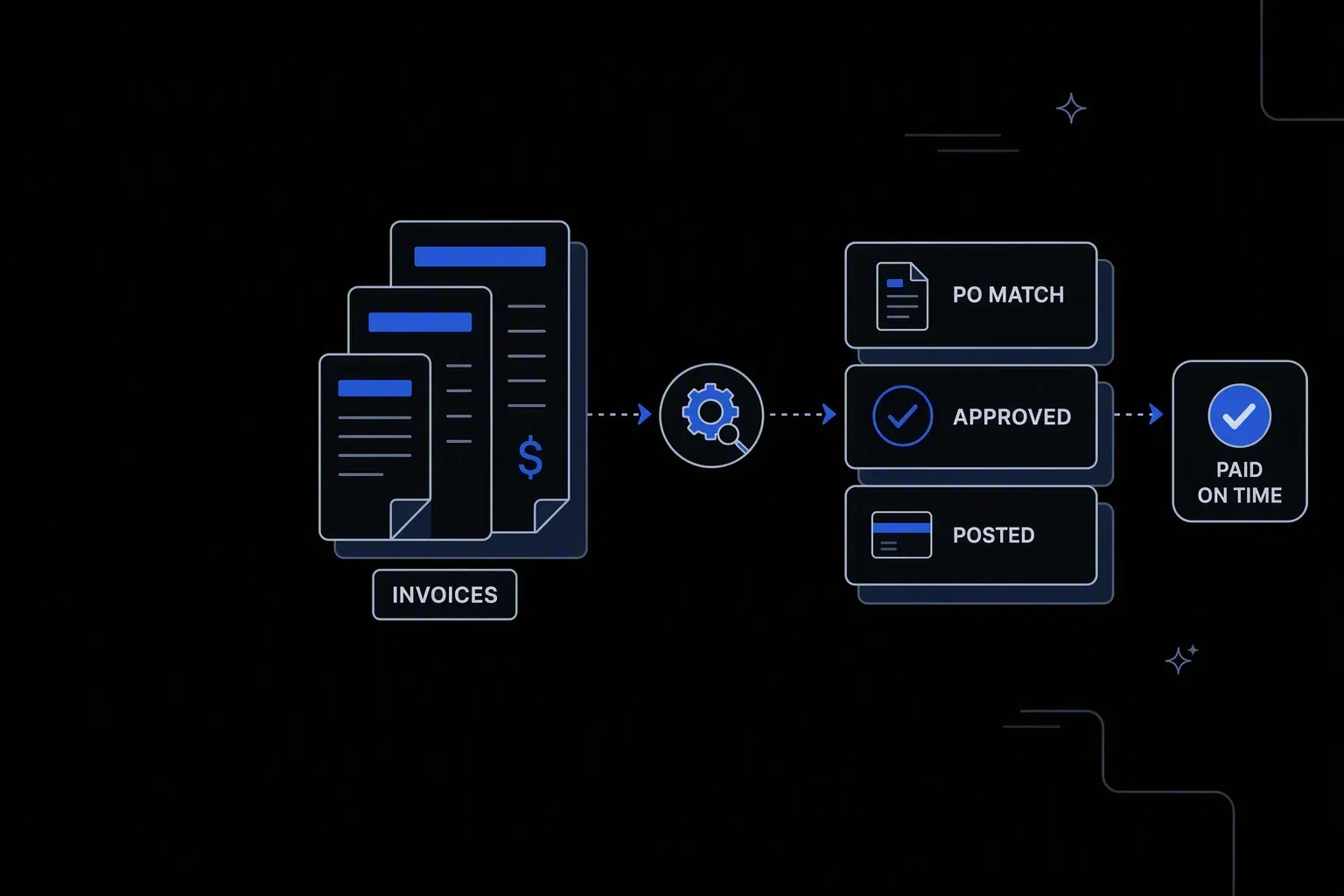
Automate Invoice Processing
Process invoices in minutes — not days.
Minutes to posted
Faster cycle time
An invoice moves from receipt to approval to posting without waiting for someone to open an attachment.
Matched before approval
Fewer disputes
Invoices are checked against the purchase order and receipt before anyone is asked to approve them.
Every invoice evidenced
Audit readiness
The document, the match result, the approver, and the posting are held together as one record.
One governed workflow across systems that never talked.
- Who it's for
- Accounts payable teams processing supplier invoices that arrive by email in formats no two suppliers agree on.
- What it does
- A governed workflow that captures invoices, matches them against purchase orders, routes approvals, and posts to the ERP.
- Systems involved
- Your ERP, document sources, and supplier channels — connected through the REST Client, with dedicated activities built on request.
- How it stays governed
- Matching tolerances and approval thresholds in decision tables, scoped approval rights, and a record per invoice.
What this looks like today
The friction that makes this workflow expensive to run by hand.
Entry
Every invoice is typed in by hand
Invoices arrive as attachments in inconsistent layouts, and each one is read and re-keyed into the ERP by a person.
Approval
Approvals live in email threads
An invoice waits on a reply nobody has sent, and there is no way to see where it is without asking.
Matching
Discrepancies found after approval
Quantity and price mismatches against the purchase order surface late, when the supplier conversation is hardest to have.
The workflow
How Koodisi runs it
Koodisi automates the invoice processing lifecycle — from receipt to approval to ERP posting — eliminating manual data entry and reducing invoice cycle time from days to hours.
Capture invoices wherever they arrive
Email, supplier portals, and file drops feed one process, so suppliers do not have to change how they send.
Scheduled and webhook triggers; file retrieval over SFTP or the REST Client.
Extract and normalise the values
Supplier, invoice number, dates, line items, and totals are read and standardised, so the ERP receives consistent data regardless of layout.
Format conversion and field mapping before validation.
Match against the order and receipt
Line items, quantities, and prices are compared against the purchase order and goods receipt, so problems surface before approval rather than after.
Matching tolerances defined in decision tables.
Route by threshold
Clean matches within tolerance can post directly; anything outside it routes to the right approver with the discrepancy shown.
Approval thresholds live where finance can change them.
Post and confirm
Approved invoices are written to the ERP and confirmed, so an unposted invoice is never mistaken for a completed one.
Retry policies for transient failures; confirmed results logged.
Keep the evidence together
The source document, extracted values, match result, approval, and posting reference are retained as one record.
Execution logging with before and after state.
Connectivity
The systems in this workflow
Koodisi orchestrates the platforms this workflow touches — through the REST Client today, and through a dedicated activity whenever you need one.




The capability underneath
Every workflow above is assembled from the same governed building blocks — which is why connecting one more system is a day of work, not a project.
Connect to anything
- REST and webhook connectivity with managed authentication (4 activities)
- Secure file transfer over SFTP (5 activities)
- Direct database reads and writes (4 activities)
Move and reshape data
- Translate between CSV, JSON, XML, and fixed-width formats (6 activities)
- Field-level mapping between systems that model data differently
- High-volume batch processing with per-record tracking (7 activities)
Decide and protect
- Decision tables for approval and routing rules your team can read
- Encryption, hashing, and signature verification on sensitive fields
- Retry policies, error handling, and full execution logging
Business systems connect through Koodisi’s REST Client, and our team builds dedicated activities for the ones you depend on — typically within a day of you asking.
Request a system →Governance
Automated, but still under control
Every run is authorised, recorded, and observable — the part that decides whether automation survives an audit.
Tolerances and thresholds in a table
Matching tolerances and approval limits live where finance can review and change them without engineering.
Approval authority scoped
Permission scopes ensure approvers act within their limits and cannot alter the thresholds themselves.
One record per invoice
Document, extraction, match result, approver, and posting reference are held together for audit.
Bank details masked
Supplier bank and payment details are masked in logs so processing records are not a payment-fraud target.
Credentials in Key Vault
ERP and document source credentials are stored in Key Vault and referenced at run time.
Visible where it waits
Traces show which approval an invoice is sitting on, so chasing is targeted.
Only where you choose. A common pattern is that clean matches within tolerance post automatically while anything outside tolerance routes to an approver — automation removes the re-keying, not the control.
It routes to a named approver with the discrepancy shown rather than posting or being rejected outright. Tolerances define what counts as a match, and they live in a table finance controls.
No. Invoices are captured from email, portals, and file drops in whatever layout the supplier uses, then normalised inside the workflow.
ERP platforms connect through Koodisi's REST Client against any documented API. Where you depend on a specific one, our team builds a dedicated activity — typically within a day.
Tools used in this workflow
Ship integrations faster. Operate them without chaos.
Less time on auth, retries, and deployment scripts. More time on the integrations your customers are asking for.
Contact Sales