
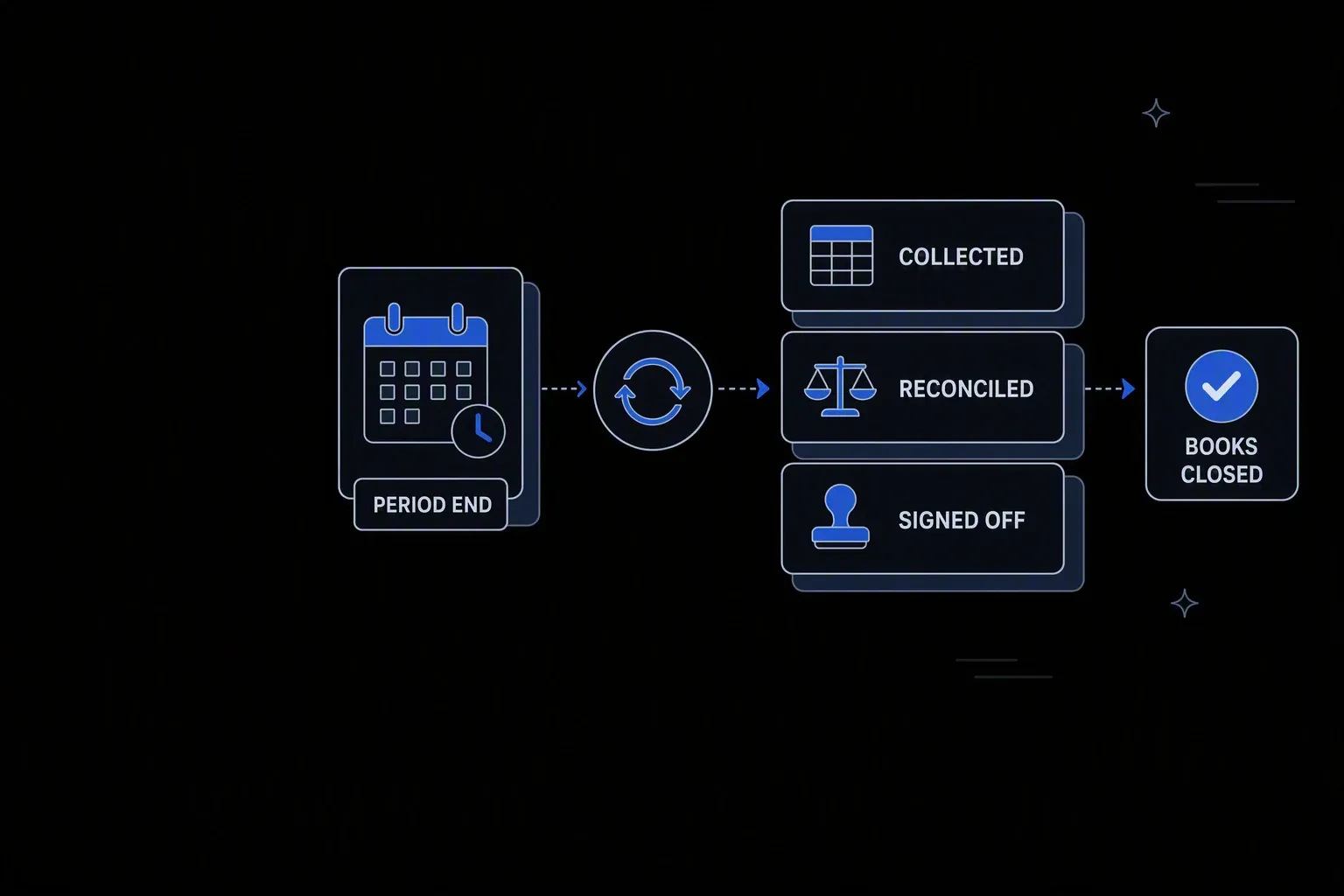
Finance Workflow Automation
Automate finance data flows across your ERP, accounting, and reporting tools.
Close on schedule
Predictable reporting
Reconciliations and journal preparation run through the period rather than compressing into the final days.
Controls that hold
Fewer audit findings
Approval and segregation rules are enforced by the workflow rather than depending on process discipline.
Numbers you can defend
Explainable reporting
Every figure traces back to its source data, the rule applied, and who approved it.
One governed workflow across systems that never talked.
- Who it's for
- Finance teams running recurring processes — reconciliation, journals, intercompany, reporting — across systems that do not talk.
- What it does
- Governed workflows for the recurring finance processes that currently run on spreadsheets and calendar reminders.
- Systems involved
- Your ERP, banking, subsidiary ledgers, and reporting platforms — connected through the REST Client, with dedicated activities built on request.
- How it stays governed
- Segregation of duties in permission scopes, approval rules in decision tables, and an auditable record per run.
What this looks like today
The friction that makes this workflow expensive to run by hand.
Compression
Everything happens at close
Reconciliations and adjustments queue until the period ends, concentrating the work when there is least time to review it.
Spreadsheets
Critical processes live in files
Reconciliations run in workbooks owned by one person, with logic nobody else can verify and no record of what changed.
Evidence
Assembling audit support is a project
Demonstrating that a control operated means gathering emails, files, and screenshots after the fact rather than reading a record.
The workflow
How Koodisi runs it
Koodisi automates finance workflows — from invoice processing to financial close to reporting data pipelines — connecting your finance stack without custom integrations.
Run on the finance calendar
Processes execute on the schedule the period requires — daily reconciliations, period-end journals — rather than when someone remembers.
Scheduled triggers aligned to the close calendar.
Gather from every ledger
Source data is read from the ERP, banking, and subsidiary systems, so reconciliation works from systems of record rather than exports.
Reading through the REST Client and secure file transfer.
Apply the rules consistently
Matching, allocation, and adjustment logic runs the same way every period, so variance reflects the business rather than who prepared it.
Rules live in decision tables finance controls.
Escalate the exceptions
Unmatched items and variances beyond tolerance route to a preparer or reviewer with the detail attached, while matched items proceed.
Tolerances defined per process; decisions recorded.
Post with approval
Journals and adjustments are posted only after the required approval, with preparation and approval held as separate rights.
Permission scopes enforce segregation of duties.
Produce the evidence
Each run leaves the source data, the rule applied, the exceptions, and the approvals as one record — the audit support, generated as a by-product.
Execution logging with before and after state.
Connectivity
The systems in this workflow
Koodisi orchestrates the platforms this workflow touches — through the REST Client today, and through a dedicated activity whenever you need one.





The capability underneath
Every workflow above is assembled from the same governed building blocks — which is why connecting one more system is a day of work, not a project.
Connect to anything
- REST and webhook connectivity with managed authentication (4 activities)
- Secure file transfer over SFTP (5 activities)
- Direct database reads and writes (4 activities)
Move and reshape data
- Translate between CSV, JSON, XML, and fixed-width formats (6 activities)
- Field-level mapping between systems that model data differently
- High-volume batch processing with per-record tracking (7 activities)
Decide and protect
- Decision tables for approval and routing rules your team can read
- Encryption, hashing, and signature verification on sensitive fields
- Retry policies, error handling, and full execution logging
Business systems connect through Koodisi’s REST Client, and our team builds dedicated activities for the ones you depend on — typically within a day of you asking.
Request a system →Governance
Automated, but still under control
Every run is authorised, recorded, and observable — the part that decides whether automation survives an audit.
Preparer and approver separated
Permission scopes keep preparation and approval as distinct rights, so segregation of duties is enforced rather than assumed.
Accounting rules in the open
Matching, allocation, and tolerance rules live where finance and audit can read them instead of inside spreadsheet formulas.
Evidence generated by running
Source data, applied rules, exceptions, and approvals are captured per run, so audit support exists without being assembled.
Sensitive figures masked
Bank details and compensation data are masked in logs so process records stay reviewable.
Credentials in Key Vault
ERP, banking, and ledger credentials are stored in Key Vault and referenced at run time.
Traced against the calendar
Traces show whether close processes are running to schedule while there is still time to intervene.
No. The ERP stays the system of record. Koodisi runs the recurring processes around it — reconciliation, preparation, routing, and evidence — that currently live in spreadsheets and inboxes.
Each run records the source data, the rule applied, the exceptions raised, and who approved what. That is the evidence auditors ask for, produced as a by-product of running rather than assembled afterwards.
Yes. Approval thresholds are expressed in decision tables, so the workflow enforces the policy you already have and finance can change it without engineering.
They route to a preparer or reviewer with the underlying detail attached, rather than being force-matched or silently carried forward. Tolerances define what needs a person.
Tools used in this workflow
Ship integrations faster. Operate them without chaos.
Less time on auth, retries, and deployment scripts. More time on the integrations your customers are asking for.
Contact Sales