
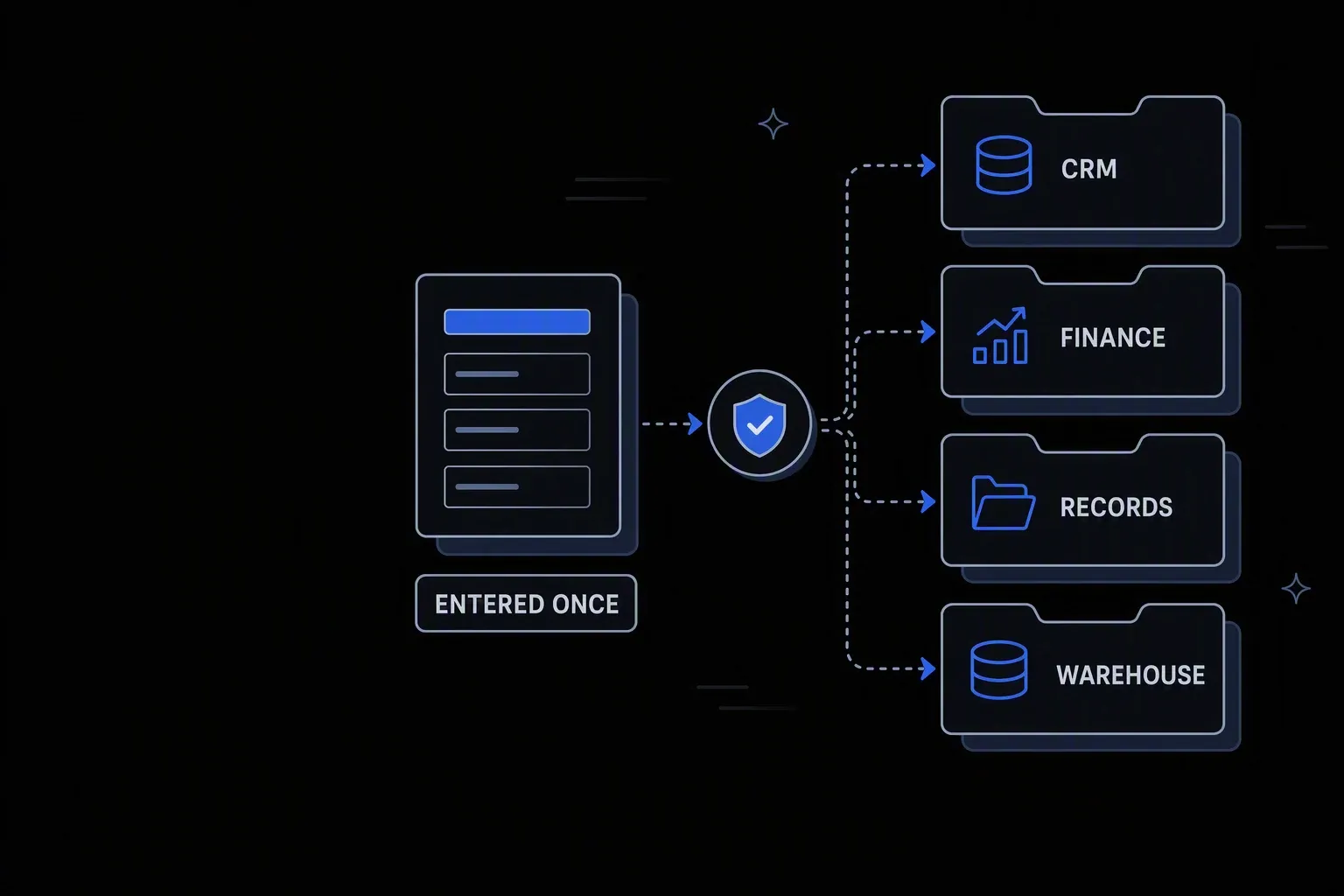
Automate Data Entry
Eliminate manual data entry across enterprise systems — for good.
Entered once
No re-keying
Data captured in one system reaches the others without a person retyping it into each.
Validated at the source
Fewer corrections
Errors are caught when the record is created rather than discovered downstream by whoever depends on it.
Hours back per week
Capacity returned
The repetitive transcription that fills operational roles is handled by the workflow.
One governed workflow across systems that never talked.
- Who it's for
- Operations teams whose day includes copying the same information between systems that do not talk to each other.
- What it does
- A workflow that captures, validates, and distributes data across systems so a record is entered once and lands everywhere.
- Systems involved
- The systems that capture and consume the data — connected through the REST Client, with dedicated activities built on request.
- How it stays governed
- Validation rules in decision tables, scoped permissions, and a full record of every write.
What this looks like today
The friction that makes this workflow expensive to run by hand.
Repetition
The same record, typed repeatedly
A single piece of information is entered into three or four systems by hand, which is slow and multiplies the chance of error.
Quality
Errors surface far from their source
A mistyped value is discovered by whoever depends on it later, when tracing it back costs far more than catching it would have.
Scale
Volume is capped by headcount
Because throughput depends on people typing, growth means hiring rather than the process absorbing more.
The workflow
How Koodisi runs it
Koodisi automates data entry tasks across CRM, ERP, HRMS, and support tools — moving data between systems automatically whenever a source record is created or updated.
Capture from the source
Forms, files, emails, and system events feed the process directly, so data enters once at the point it is created.
Webhook, scheduled, and file-based triggers over the REST Client and SFTP.
Validate before anything is written
Required fields, formats, and cross-references are checked at intake, so bad data is stopped at the door rather than propagated.
Validation rules defined in decision tables.
Normalise into each target's shape
Values are translated into the structure each destination expects, which is the work that usually forces a human into the loop.
Field mapping and conversion across CSV, JSON, XML, and fixed-width.
Write to every system
All destinations are updated from the same validated record, so systems cannot drift apart through partial entry.
Retry policies cover transient failures.
Escalate what cannot be resolved
Records that fail validation or match ambiguously route to a person with the problem identified, rather than being guessed at.
The decision and decider are recorded.
Record every write
Each run records what was captured, validated, transformed, and written where.
Execution logging with before and after state.
Connectivity
The systems in this workflow
Koodisi orchestrates the platforms this workflow touches — through the REST Client today, and through a dedicated activity whenever you need one.





The capability underneath
Every workflow above is assembled from the same governed building blocks — which is why connecting one more system is a day of work, not a project.
Connect to anything
- REST and webhook connectivity with managed authentication (4 activities)
- Secure file transfer over SFTP (5 activities)
- Direct database reads and writes (4 activities)
Move and reshape data
- Translate between CSV, JSON, XML, and fixed-width formats (6 activities)
- Field-level mapping between systems that model data differently
- High-volume batch processing with per-record tracking (7 activities)
Decide and protect
- Decision tables for approval and routing rules your team can read
- Encryption, hashing, and signature verification on sensitive fields
- Retry policies, error handling, and full execution logging
Business systems connect through Koodisi’s REST Client, and our team builds dedicated activities for the ones you depend on — typically within a day of you asking.
Request a system →Governance
Automated, but still under control
Every run is authorised, recorded, and observable — the part that decides whether automation survives an audit.
Validation rules in the open
What makes a record acceptable lives in a decision table the owning team can review and change.
Every write recorded
Each run logs the source values, transformations applied, and destination writes with before and after state.
Scoped permissions
Permission scopes separate who runs the workflow from who changes validation and mapping rules.
Sensitive fields masked
Personal and commercial values are masked in logs so processing records stay reviewable.
Credentials in Key Vault
Source and destination credentials are stored in Key Vault and referenced at run time.
Traced per destination
Traces show which system rejected a write rather than reporting one aggregate result.
They route to a person with the specific problem identified, rather than being written through or silently dropped. That keeps judgement where it is needed and removes it everywhere else.
Yes. Files arriving over SFTP or from a document source are parsed and normalised as part of the same process, including CSV, XML, JSON, and fixed-width layouts.
Anything with a documented API connects through the REST Client. Systems without one can often be integrated through file exchange, which is why SFTP and format conversion are part of the platform.
Ambiguity routes to a person rather than being resolved by guesswork. The candidates are shown, the decision is recorded, and repeated ambiguity usually points to a matching rule worth tightening.
Ship integrations faster. Operate them without chaos.
Less time on auth, retries, and deployment scripts. More time on the integrations your customers are asking for.
Contact Sales