
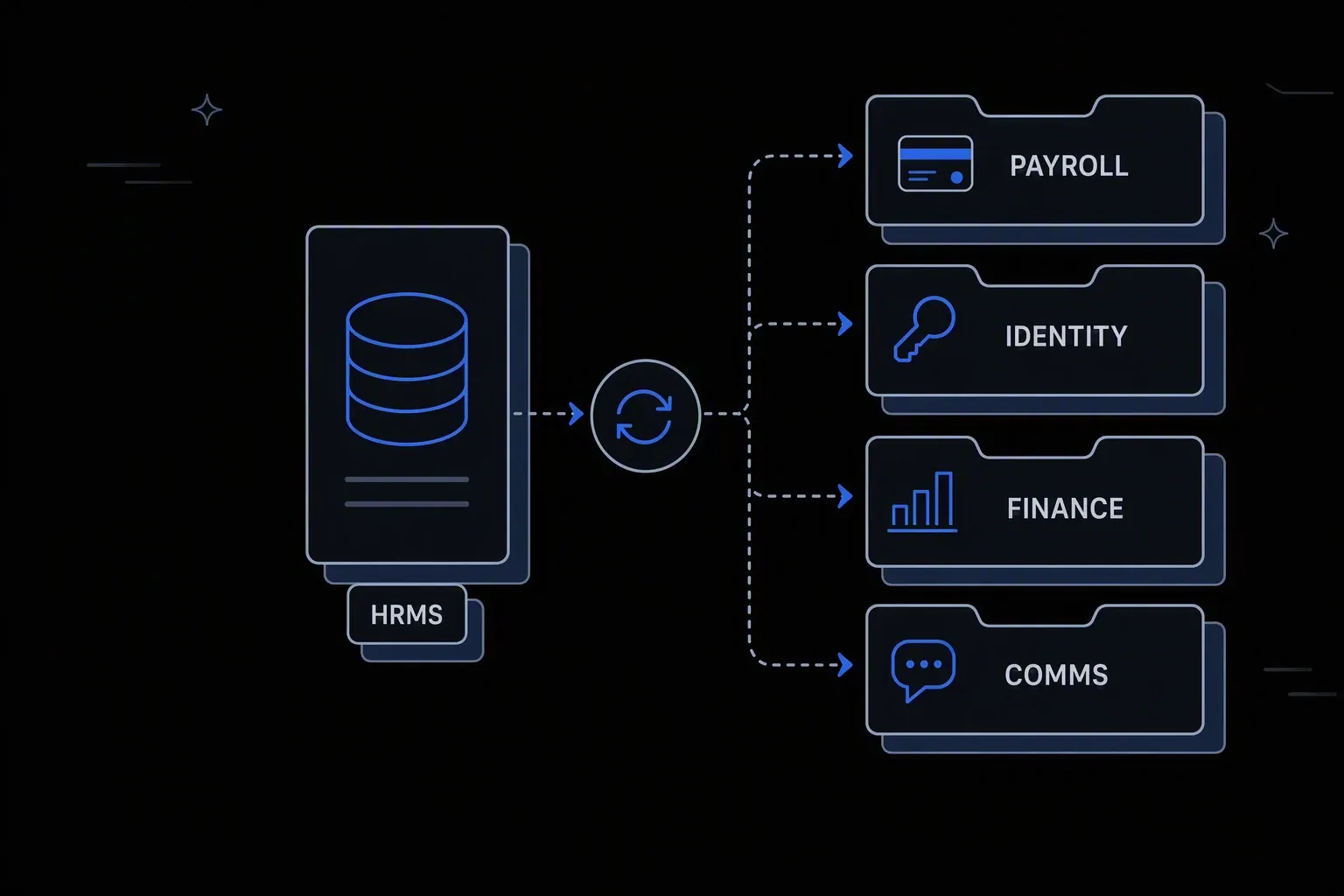
HRMS Integration Platform
Connect all your HR systems in one place — no code, no middleware.
One employee record
Single source of truth
Downstream systems read the same values as the HRMS instead of drifting apart between syncs.
Sync you can watch
Operational visibility
Every transfer is traced, so a failed sync is a visible event rather than a discrepancy someone spots weeks later.
No integration rebuild
Change tolerance
When the HRMS changes or gets replaced, mapping changes in one place rather than across every connected system.
One governed workflow across systems that never talked.
- Who it's for
- HR and IT teams whose HRMS holds authoritative people data that half a dozen other systems need and cannot reliably get.
- What it does
- A managed integration layer that keeps employee data consistent across payroll, identity, finance, and operational systems.
- Systems involved
- Your HRMS plus every system that consumes people data — connected through the REST Client, with dedicated activities built on request.
- How it stays governed
- Field-level control over what leaves the HRMS, masking on sensitive attributes, and full transfer logging.
What this looks like today
The friction that makes this workflow expensive to run by hand.
Drift
Every system holds a slightly different truth
Job titles, cost centres, and reporting lines diverge between systems until nobody trusts any of them for reporting.
Fragility
Point-to-point scripts nobody owns
Each connection was built once by someone who has moved on. When one breaks, finding out why takes longer than the sync did.
Exposure
Sensitive fields travel too freely
Bulk syncs move more personal data than the receiving system actually needs, widening the blast radius of any incident.
The workflow
How Koodisi runs it
Koodisi acts as the integration hub for your entire HR stack. Connect HRMS, payroll, recruiting, identity, and collaboration tools — and automate data flows between all of them.
Read from the HRMS on a schedule or on change
Pull the records that changed rather than re-sending everything, using scheduled checks or change events depending on what the HRMS supports.
Scheduled and webhook triggers over the REST Client.
Select only the fields each system needs
Each destination gets its own field set, so payroll receives what payroll requires and nothing more.
Field-level mapping keeps personal data scoped to purpose.
Reshape to each system's model
Names, codes, dates, and hierarchies are translated into the structure each target expects, so receiving systems need no custom handling.
Format conversion between CSV, JSON, XML, and fixed-width.
Write, verify, and reconcile
Changes are applied and then read back and compared, so a partial write surfaces immediately instead of becoming silent drift.
Retry policies for transient failures; mismatches raise a failed run.
Report what moved
Each cycle produces a record of what changed, what was skipped, and what failed — the basis for trusting the data downstream.
Execution logging with per-record status.
Connectivity
The systems in this workflow
Koodisi orchestrates the platforms this workflow touches — through the REST Client today, and through a dedicated activity whenever you need one.





The capability underneath
Every workflow above is assembled from the same governed building blocks — which is why connecting one more system is a day of work, not a project.
Connect to anything
- REST and webhook connectivity with managed authentication (4 activities)
- Secure file transfer over SFTP (5 activities)
- Direct database reads and writes (4 activities)
Move and reshape data
- Translate between CSV, JSON, XML, and fixed-width formats (6 activities)
- Field-level mapping between systems that model data differently
- High-volume batch processing with per-record tracking (7 activities)
Decide and protect
- Decision tables for approval and routing rules your team can read
- Encryption, hashing, and signature verification on sensitive fields
- Retry policies, error handling, and full execution logging
Business systems connect through Koodisi’s REST Client, and our team builds dedicated activities for the ones you depend on — typically within a day of you asking.
Request a system →Governance
Automated, but still under control
Every run is authorised, recorded, and observable — the part that decides whether automation survives an audit.
Sensitive fields masked
Identifiers and compensation are masked in logs so operational visibility never becomes a data exposure.
Scoped access to people data
Permission scopes control who can view or change the integration, separating operators from designers.
Every transfer recorded
Each sync logs what was read, what was written, and what changed, with before and after state per record.
Credentials in Key Vault
HRMS and destination credentials are held in Key Vault and referenced at run time.
Rules for conflicts
When two systems disagree, decision tables define which wins rather than leaving it to whichever ran last.
Traced end to end
OpenTelemetry traces show where a sync slowed or failed, on every plan.
HRMS platforms connect through Koodisi's REST Client, which handles authentication, pagination, and retries against any documented API. Where a customer depends on a specific platform, our team builds a dedicated activity for it — typically within a day. You can also build it yourself through the developer program.
Whatever the process needs — scheduled cycles for bulk reconciliation, or change-triggered runs where the HRMS can emit events. Both can run against the same mapping.
Yes, and we recommend it. Each destination gets its own field set, so a system that only needs employment status never receives compensation data.
The mapping layer changes; the downstream systems do not. That is the main structural reason to route people data through an integration layer rather than point-to-point.
Tools used in this workflow
Ship integrations faster. Operate them without chaos.
Less time on auth, retries, and deployment scripts. More time on the integrations your customers are asking for.
Contact Sales