
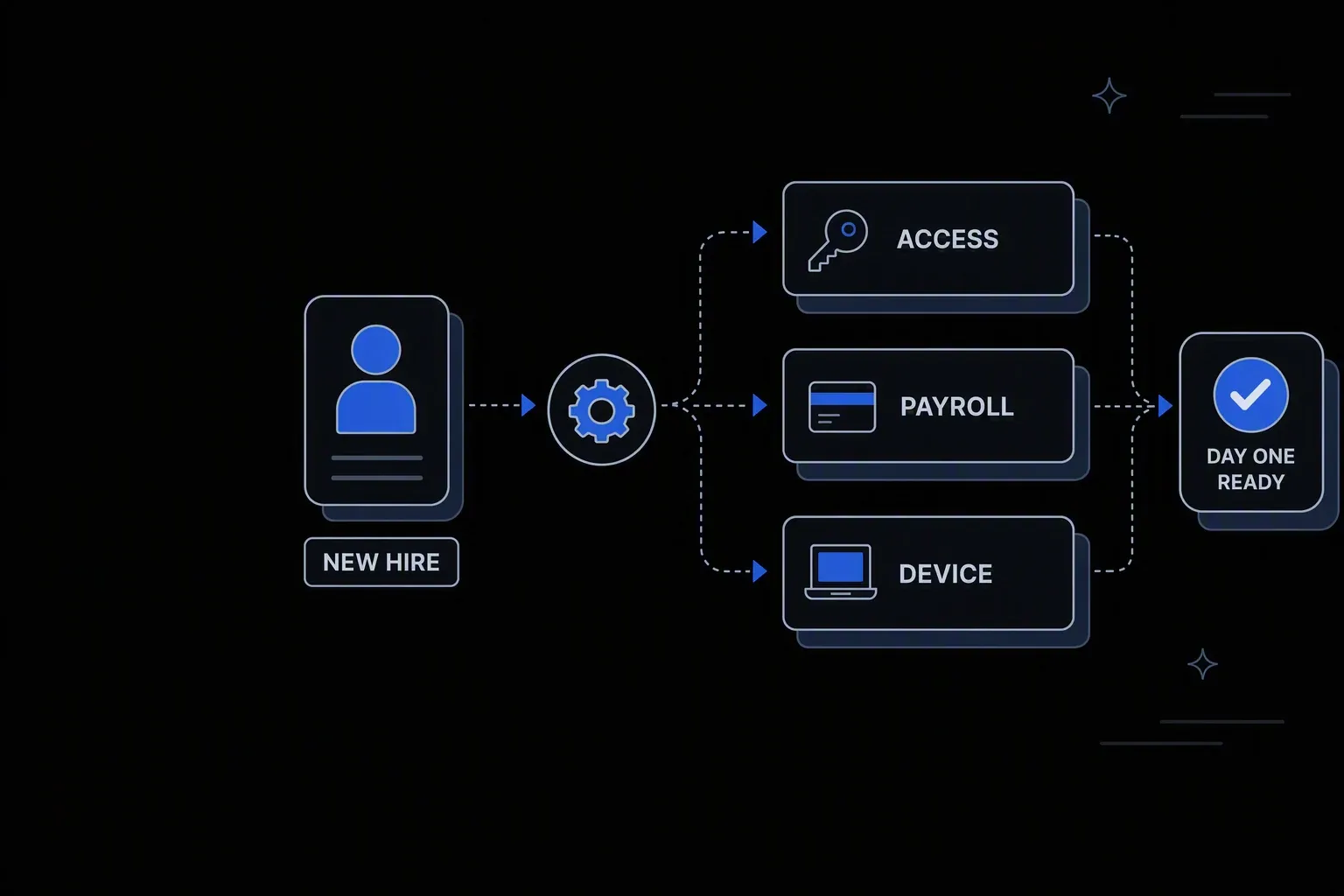
Automate Employee Onboarding
Cut new hire onboarding time from days to hours with Koodisi.
Hours, not days
Time to productive
Accounts, access, and payroll records are created the moment the hire record lands — not after a chain of tickets clears.
One audited trail per hire
Provable compliance
Every step, approval, and system write is logged with before and after state, ready for an access review.
Zero manual re-keying
Data accuracy
The hire record is entered once and mapped into every downstream system, so joiners never arrive with mismatched details.
One governed workflow across systems that never talked.
- Who it's for
- HR operations, IT, and payroll teams sharing one joiner process across systems that were never designed to talk.
- What it does
- A single governed workflow that turns an approved hire into provisioned accounts, payroll enrolment, and a complete audit record.
- Systems involved
- Your HRMS, identity provider, payroll platform, and messaging tools — connected through the REST Client, with dedicated activities built on request.
- How it stays governed
- Role-scoped access, decision-table approvals for privileged accounts, and full execution logging on every run.
What this looks like today
The friction that makes this workflow expensive to run by hand.
Handoffs
The process lives in a ticket queue
HR raises a request, IT picks it up when they can, payroll finds out last. Each handoff adds a day, and nobody owns the whole thing.
Access
Day-one access is a guess
Entitlements get copied from whoever sits nearby. New hires wait on tools they need, and quietly accumulate access they never should have had.
Evidence
Nobody can prove what happened
When an auditor asks who approved an account and when, the answer is spread across inboxes, tickets, and spreadsheets.
The workflow
How Koodisi runs it
Koodisi automates the entire employee onboarding process — from collecting documents to provisioning system access and notifying IT and payroll teams.
Start from the approved hire record
A webhook or scheduled check on your HRMS picks up the new joiner as soon as the record reaches approved state — no one has to remember to kick anything off.
Built with Webhook or Schedule, reading through the REST Client.
Validate and map the record once
Required fields, start date, manager, department, and cost centre are checked before anything downstream is touched, then mapped into the shape each target system expects.
Data Mapper handles field translation; Generate Error stops a bad record before it propagates.
Provision access against role, not precedent
A decision table resolves the role into the exact account and group set that role is entitled to, and routes anything privileged to a named approver first.
Decision Table drives entitlement logic and approval routing.
Enrol in payroll and confirm the round trip
Payroll and benefits records are created, then read back and reconciled so a silent failure surfaces immediately rather than on the first pay run.
Retry Policy covers transient failures; Log records the confirmed result.
Notify the people who need to act
Manager, IT, and facilities get told what is ready and what still needs them, so the remaining human steps happen on day one instead of week one.
Messaging platforms connect through the REST Client.
Close the loop with a complete record
Every decision, approval, and system write is captured as one execution record — the evidence an access review or SOX walkthrough asks for.
Execution Info and Log produce the audit trail.
Connectivity
The systems in this workflow
Koodisi orchestrates the platforms this workflow touches — through the REST Client today, and through a dedicated activity whenever you need one.




The capability underneath
Every workflow above is assembled from the same governed building blocks — which is why connecting one more system is a day of work, not a project.
Connect to anything
- REST and webhook connectivity with managed authentication (4 activities)
- Secure file transfer over SFTP (5 activities)
- Direct database reads and writes (4 activities)
Move and reshape data
- Translate between CSV, JSON, XML, and fixed-width formats (6 activities)
- Field-level mapping between systems that model data differently
- High-volume batch processing with per-record tracking (7 activities)
Decide and protect
- Decision tables for approval and routing rules your team can read
- Encryption, hashing, and signature verification on sensitive fields
- Retry policies, error handling, and full execution logging
Business systems connect through Koodisi’s REST Client, and our team builds dedicated activities for the ones you depend on — typically within a day of you asking.
Request a system →Governance
Automated, but still under control
Every run is authorised, recorded, and observable — the part that decides whether automation survives an audit.
Decision tables, not buried logic
Entitlement and approval rules live in a readable table your compliance team can review, and change without touching the workflow.
Role-scoped permissions
Who can run, edit, or approve this workflow is controlled by permission scopes — separating the people who design it from the people who release it.
Every run recorded
Each execution logs its inputs, decisions, and system writes with before and after state, so access reviews read from evidence rather than memory.
Credentials held in Key Vault
HRMS, identity, and payroll credentials are stored in Key Vault and referenced at run time — never pasted into a workflow step.
Sensitive fields masked
Salary, national identifiers, and personal contact details are masked in logs so an audit trail never becomes a data exposure.
Observable on every tier
OpenTelemetry traces show where a joiner run slowed or failed, on every plan rather than as an enterprise upsell.
Business systems connect through Koodisi’s REST Client, which handles authentication, pagination, and retries against any documented API. Where a customer depends on a specific system, our team builds a dedicated activity for it — typically within a day. There is also a developer program if you would rather build and own it yourself.
A retry policy governs transient failures, and anything that exhausts its retries surfaces as a failed execution with the exact step and payload rather than a silent gap. The joiner record is not marked complete until every system confirms its write.
Yes. Decision tables route privileged accounts or exceptions to a named approver, and the workflow waits on that decision. The approval and the approver are both recorded in the execution log.
Because entitlements are resolved from a role-based decision table rather than copied from an existing user, you can show why each account was granted. Every run produces an audit record covering the decision, the approver, and the resulting system writes.
No. Your HRMS stays the system of record for the hire. Koodisi orchestrates what happens after the record is approved, across the systems your HRMS does not reach.
Tools used in this workflow
Ship integrations faster. Operate them without chaos.
Less time on auth, retries, and deployment scripts. More time on the integrations your customers are asking for.
Contact Sales